Session 1: “Welcome to the World of Making!”
Architect:
Syed Shayaan Haider - Markhor3D
Learning Objectives
In this session, the students will:
- Understand the Concept of Making: Recognize that they can create and design objects.
- Experience the Excitement of 3D Printing: Be introduced to 3D printed objects and observe a 3D printer in action.
- Explore Creativity: Feel inspired to imagine and think creatively about making things.
- Engage Through Creative Expression: Use drawing to visualize their ideas and creations.
- Participate Actively: Engage in discussions and express their thoughts and ideas.
Teaching Aids
Required Materials:
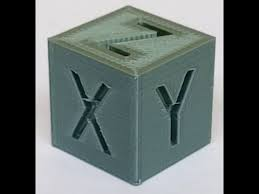
- M3D Enabler 3D Printer: Set up and ready to print a simple object (e.g., a small cube or toy. Stl files are shared in teacher’s resources).
- Simple 3D Printed Objects:
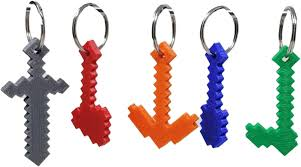
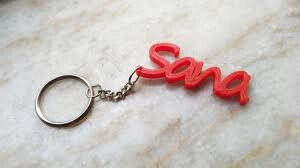
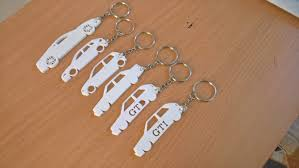
- Examples: Toy car, keychain, small animal figures, badges.
- (.stl files are shared in teacher’s resources).
- Visual Aids:
- Pictures or posters of various creations (buildings, vehicles, gadgets).
- Drawing Materials:
- Paper or drawing pads.
- Crayons, colored pencils, or markers.
- Interactive Whiteboard or Chart Paper:
- For drawing and displaying ideas.
- Comfortable Seating Arrangement:
- Circle time setting to promote engagement.
Structure and Lesson Plan (Total Time: 50 minutes)
1. Warm-Up Activity and Introduction (10 minutes)
-
Greet the Students:
- “Good morning, everyone! I’m so excited to see you all today!”
-
Circle Time Setup:
- Have students sit in a circle on the floor or rugs.
-
Introduce the 3D Printer and Objects:
-
Show and Tell:
- “I have some special items to show you today!”
- Bring out the 3D printed objects one by one.
- Allow students to see them but hold off on passing them around for now.
-
Starting a Simple Print:
- “I also have a special machine called a 3D printer. Watch as I start it up!”
- Begin printing a simple object (e.g., a small cube or toy).
- Ensure the printer is in a safe location where students can see it but not touch it.
-
Create Curiosity:
- “Can anyone guess what this machine is doing?”
- “We’ll check back on it later to see what it’s making!”
-
-
Ice-Breaker Question:
- “Who here likes to make things? What have you made before?”
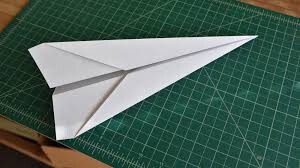
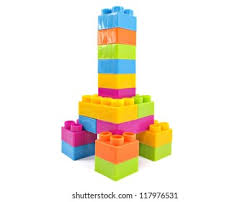
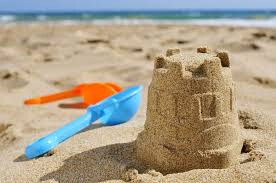
- Allow a few students to share briefly (e.g., drawings, sandcastles, block towers).

2. Interactive Activity: Imagination Drawing (15 minutes)
-
Set the Stage:
- “Let’s use our imaginations to create something special!”
-
Distribute Materials:
- Give each student a piece of paper and crayons or markers.
-
Instructions:
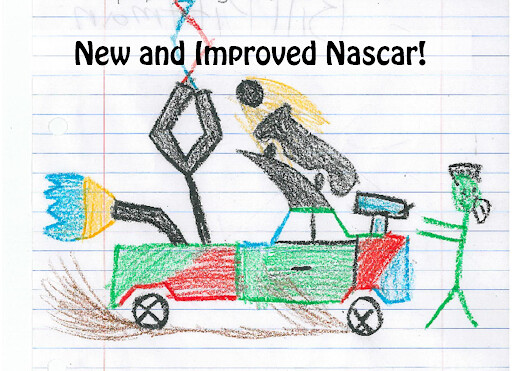
- “I want you to think of anything you’d like to make or invent. It could be a new kind of toy, a magical machine, or anything you can imagine!”
-
Encourage Creativity:
- “There are no wrong ideas! Let your imagination run wild!”
-
Provide Inspiration:
- Display pictures of various objects or inventions to spark ideas.
- “Maybe you want to draw a flying car, a robot that helps with chores, or a new kind of animal!”
-
Teacher’s Role:
- Walk around the classroom, offering encouragement and asking open-ended questions:
- “Tell me about what you’re drawing.”
- “What does your invention do?”
- “How did you come up with that idea?”
- Walk around the classroom, offering encouragement and asking open-ended questions:
3. Show and Tell: Sharing Creations (10 minutes)
-
Group Sharing:
- “Who would like to share their drawing with the class?”
-
Guidelines:
- Encourage several students to share, ensuring time constraints.
-
Prompting Questions:
- “What did you draw?”
- “How does your creation work?”
- “What do you like most about your idea?”
-
Positive Feedback:
- Praise their efforts and creativity.
- “Wow, that’s a fantastic idea!”
- “I love how you thought of that!”
- Praise their efforts and creativity.
4. Show and Tell: Exploring 3D Printed Objects (10 minutes)
-
Return to the 3D Printer:
- “Let’s check on our special machine and see how it’s doing!”
-
Observe the Printing Process:
- Allow students to watch the printer in action from a safe distance.
- Explain in simple terms:
- “The 3D printer is making an object by adding material layer by layer, kind of like building with tiny blocks!”.
- Imagine you’re icing a cake, adding one thin layer of icing on top of another to make it taller and taller. That’s how a 3D printer works—it builds objects by stacking tiny layers, just like icing on a cake!
-
Presenting the Objects:
- Now, pass around the 3D printed objects for students to handle gently.
- Safety Reminder:
- “Please handle the objects carefully and pass them to your neighbor.”
-
Encourage Observation:
- “What do you notice about these objects?”
- “How do they feel? Are they heavy or light?”
-
Explain in Simple Terms:
- “These objects were made using the 3D printer, just like the one we have here!”
- “It’s like a magic robot that can make things from our ideas!”
5. Introducing the Concept of Making and Designing (3 minutes)
-
Connect to Their Drawings:
- “Imagine if we could turn your drawings into real objects like these!”
-
Simplify the Idea:
- “Designing is like planning how something will look before we make it.”
-
Express Possibilities:
- “In the span of this course, you’ll learn to desgin and create your own toys or inventions using machines like this!”
6. Conclusion and Recap (2 minutes)
-
Summarize the Session:
- “Today, we used our imaginations to create amazing drawings and saw a special machine that can make objects!”
-
Reinforce Key Points:
- “Remember, your ideas can become real things with creativity and tools.”
-
Express Excitement for Future Sessions:
- “In our next class, we’ll go on a shape safari and explore different shapes we can use to make things!”
-
Closing Encouragement:
- “I’m so proud of all your amazing ideas! Keep thinking and imagining what you can create!”
Additional Notes for the Teacher
- Guide to Cura (link to separate document)
- Getting Started with M3D Enabler (link to separate document)
- .Stl files
- Minecraft Tools Keychains.
- Dinosaur Keychains.
- Baby Groot Keychain
- Unicorn Keychain.
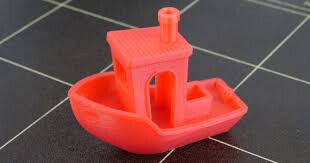
- Benchy.
- 20mm Cube
- Wide top vase (use Vase mode described in Guide to Cura).
- Rocket (use Vase mode described in Guide to Cura).
-
Preparation:
- Set Up 3D Printer:
- Ensure the printer is functioning properly and loaded with material.
- Choose a simple object that prints quickly (e.g., a small cube that takes about 15-20 minutes).
- Collect 3D Printed Objects:
- Choose safe, durable items suitable for handling.
- Gather Drawing Materials:
- Ensure enough paper and drawing utensils for all students.
- Classroom Setup:
- Arrange seating for both the drawing activity and circle time.
- Position the 3D printer where it’s visible but out of reach.
- Set Up 3D Printer:
-
Safety Considerations:
- 3D Printer Safety:
- Keep students at a safe distance from the printer.
- Explain that the printer can get hot and should not be touched.
- Handling Objects:
- Supervise closely when students are handling 3D printed items.
- Remind them not to put objects in their mouths.
- 3D Printer Safety:
Key Vocabulary
- Make/Making: Creating something new.
- Create/Creation: Bringing something into existence using imagination.
- Design: Planning or drawing something to show how it will look before it’s made.
- 3D Printer: A special machine that makes objects by adding material layer by layer.
- Imagination: The ability to think of new and creative ideas.
For suggestions, improvements, and corrections, feel free to reach out at shayaanhaider@gmail.com