Session 8: Robot Dance Party
Session Architect: Muhammad Bilal
Session Length: 50-60 minutes
Learning Objectives:
- Understand how to sequence movements to create a dance routine for the robot.
- Use loops to repeat movement patterns efficiently.
- Experiment with timing and coordination to create smooth, rhythmic movements.
- Encourage creativity through coding.
Equipment Needed:
- Laptops with Scratch pre-installed.
- M3D Go Robotics Kit.
- Dance videos on a projector screen which can be recreated with the robot
- Speaker with some music to play.
Resources:
Scratch Code File:
Grade 3 Session 8.sb3 (3.4 MB)
Lesson Plan:
1. Musical Motion(10 minutes)
Activity:
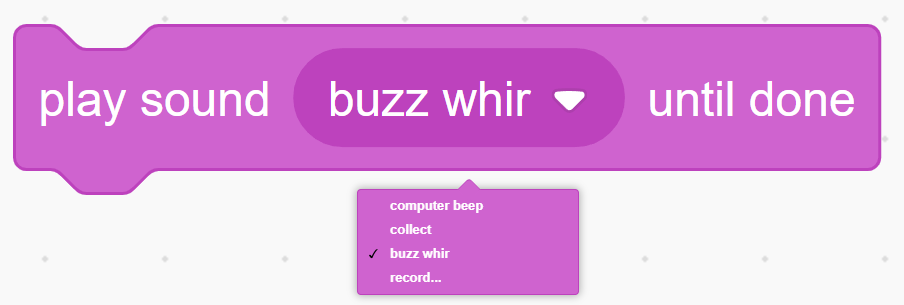
Students will learn to use the Wait block to add pauses between actions and the Play Sound block to add sound during movements. They will apply both blocks to create smoother robot routines.
Teacher’s Role:
Instructions:
You may begin by explaining the importance of waiting in everyday situations. For example, you can say:
“Have you ever tried to do too many things at once, like trying to jump and turn around without stopping, or trying to run without taking a breath? It’s hard, right? That’s why waiting is so important in life—and for our robots too! Sometimes they need to wait between movements to make everything work smoothly. Let’s see how we can add that pause in their movements!”
- Show how to add a Wait block between two movements to make the robot pause for a few seconds.
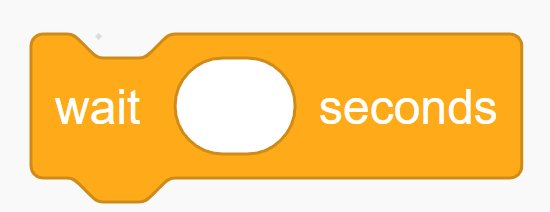
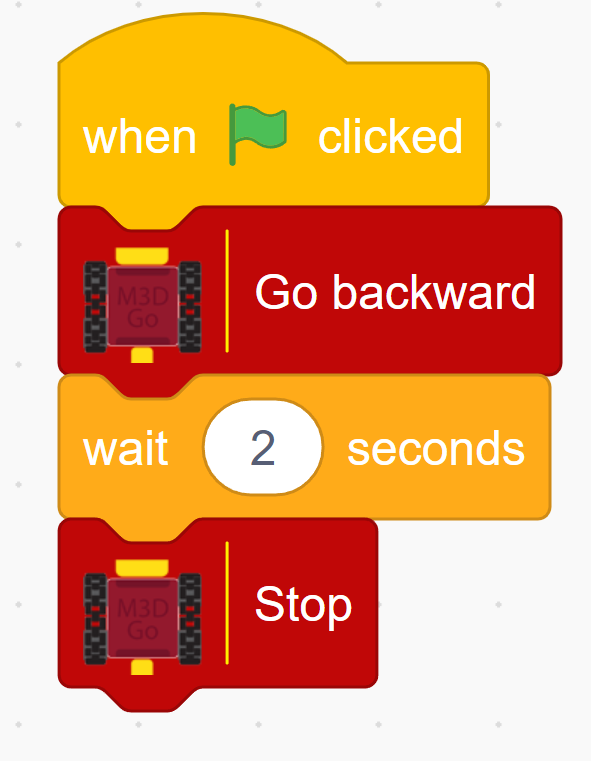
- Tell them how how this blocks moves the robot for 2 seconds and then makes it stop. So, it adds a two second wait between “Go Backward” and “Stop” block.
- Let them play around with different blocks and encourage them to make a combination of multiple blocks.
Introduce Play Sound Block:
“Now, let’s make the robot even more fun! Just like adding music or a sound effect to a dance, we can program the robot to play sounds while it moves.”
- Demonstrate how to add the Play Sound block to play a tune during or after a movement.
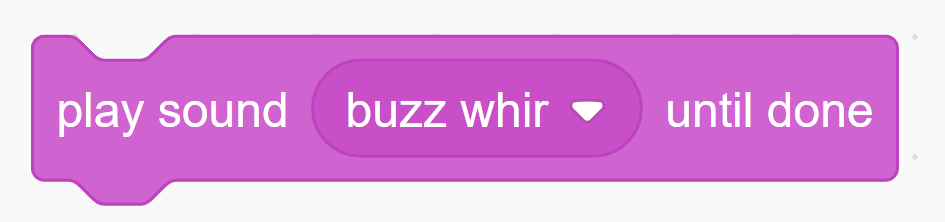
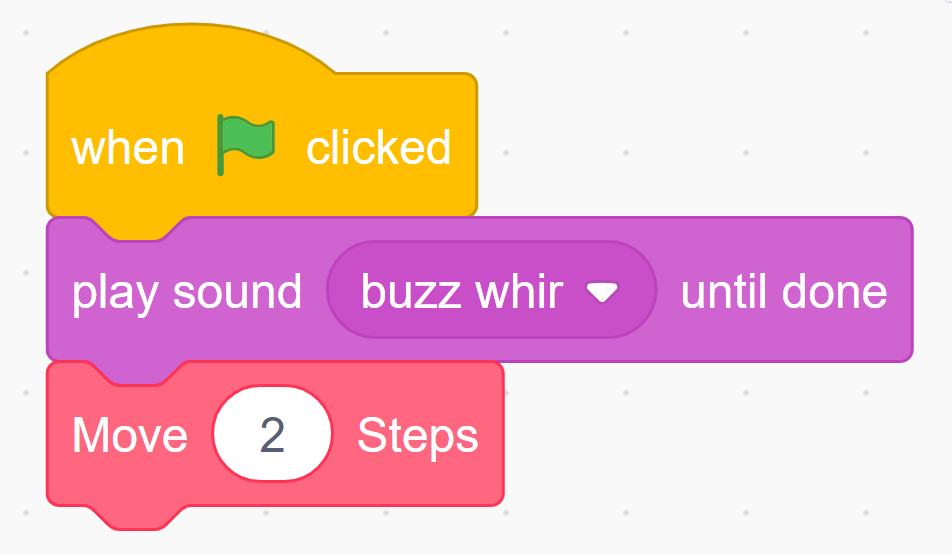
- Explain to them how this block will play sound as well as move the robot.
- Encourage them to play with different available sound effects as well as trying to record their own sounds.
2. Planning the Dance Routine (15 minutes)
Activity:
Introduce the concept of the “Robot Dance Party” where students will program their robots to perform a fun dance routine. Students will start by brainstorming and sketching out their robot’s dance moves. Encourage them to think of simple steps like moving forward, turning, spinning, or repeating a movement to create a fun routine.
Instructions:
You may start the session by introducing the idea of dancing as a sequence of steps we need to follow:
Now that we’ve got our robots ready, it’s time to make them dance! But here’s the fun part—just like learning dance moves, the robot needs to follow a sequence of steps. And if you want the robot to repeat a cool move, like spinning or jumping, you can use a loop!
Let’s think about how we can put together a fun routine for our Robot Dance Party, making sure the moves happen in the right order and keep the party going!
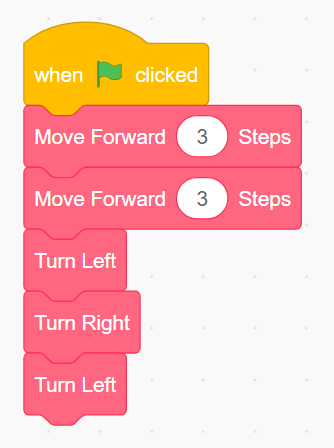
- Show a quick demo of a simple robot dance. For example, you may play a video on Youtube and code the dance in the video as an example such as the “Cha Cha Dance” video (https://www.youtube.com/watch?v=gv27T7ECFRU&ab_channel=SenoreRicardo).
It’s Scratch code will look something like this:
Emphasize that students will get creative in this session by designing their own dance routines.
- Ask students to plan a dance that consists of at least 3 different moves (e.g., move forward, move backward, turn, spin).
- Encourage the use of loops to repeat certain moves (e.g., spin twice, or move forward and back 3 times).
Example Dance Ideas:
- Move forward 3 steps, then spin in a circle.
- Turn left, then right, and repeat.
- A forward-backward shuffle combined with a quick turn.
Teacher’s Role:
Introduce the concept of the “Robot Dance Party,” where students will program their robots to perform a fun dance routine. Guide students as they brainstorm and sketch out their robot’s dance moves, helping them sequence movements correctly. Encourage them to think of simple steps like moving forward, turning, spinning, or repeating movements with loops to make programming easier. Support students as they test their routines, providing assistance when needed, but let them experiment with their ideas to keep the activity fun and engaging.
3. Programming the Dance (20 minutes)
Activity:
Students will program their robots to perform their planned dance routines using Scratch. They will use loops to repeat movements, ensuring their routines are smooth and coordinated.
Instructions:
- Start by programming the first dance move (e.g., move forward or turn).
- Use loops to repeat movements for consistency (e.g., loop a spin twice).
- Test the robot’s movements, adjusting timing and distances to improve the dance routine.
- Add more moves, such as turning or spinning, to complete the dance.
- Encourage the students to use the previously learnt concepts in their dance moves e.g. loops.
- Teacher’s Role:
Provide coding support, helping students with loops and sequencing. Encourage them to test their routines often and adjust timing as needed. You can also introduce pauses or delays between moves to improve the rhythm of the dance.
4. Dance Party Showcase (10 minutes)
Activity:
Students will showcase their robot’s dance routine to the class. They can add music to their performance if they want to create a real “dance party” atmosphere. Each student or group will present their robot’s dance and explain how they programmed the moves.
Instructions:
- One by one, students will present their robot’s dance routine to the class.
- Classmates can give feedback on what they liked about the dance and how the robot performed the moves.
- At the end, encourage students display robots’ expressions on the display.
- You may also ask all the students to make their robots dance together
Teacher’s Role:
Facilitate the dance party, encouraging students to celebrate their creativity. Play music in the background (optional) to enhance the fun atmosphere. Give positive feedback and praise creative use of loops and movements.
5. Conclusion and Reflection (5 minutes)
Activity:
Wrap up the session with a reflection on the use of loops and movement sequencing in creating dance routines. Ask students to share what they found fun or challenging about the process.
Reflection Questions:
- “What was your favorite move that your robot performed?”
- “How did using loops make your dance routine easier to program?”
- “Did you have to adjust the timing or movement distances to make the dance look smoother?”
Wrap-Up Summary:
Congratulate the students on their creativity and coding skills. Highlight how loops and sequencing helped make their robot’s dance routines more efficient and fun. Encourage them to think about how they can use these skills in future coding projects.