Among the suit of extensions available on M3D Scratch, there is a custom made extension called M3D Ask AI.
This extension allows students to integrate AI into their model in a creative and exploratory way.
How does it work?
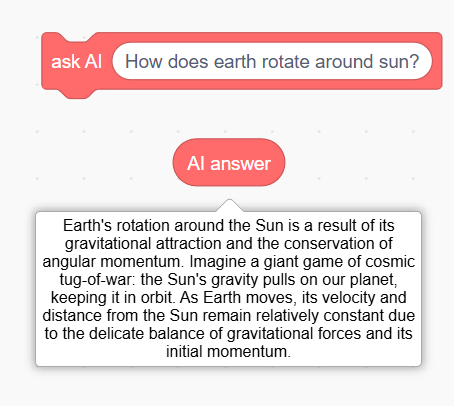
Instead of just giving AI some prompts and getting generic answers, Ask AI can be configured to provide responses, which are easy to understand for students. They can further use these responses from AI in their model as well.
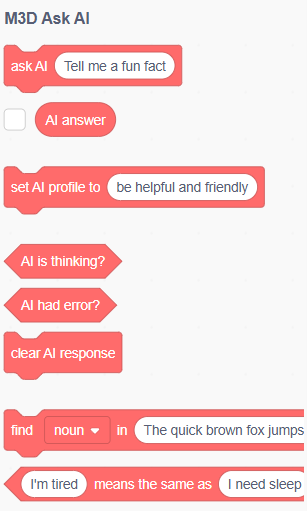
It comes equipped with the following blocks:
Adding character to your AI:
Ask AI also allows students to create custom styles for your AI model. This is known as AI profile in M3D Ask AI, which can be configured with a simple pre-made block:

Once done, all your questions will be answered with your chosen persona of AI model.
For example:
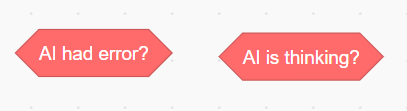
Status Blocks:
There are a few blocks which indicate the status of the AI model. These can be used inside your code when building larger projects where you need to know when the model is active:
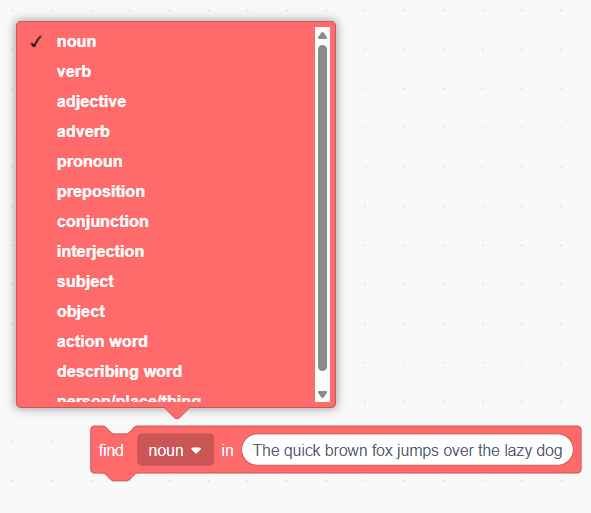
Analysing response:
There is a special code block which helps you in analysing your AI’s response. A pre-made example of this is as follows:
Using AskAI with custom blocks:
In addition to this, you can create custom blocks for certain use cases if you don’t want to change your AI’s profile.
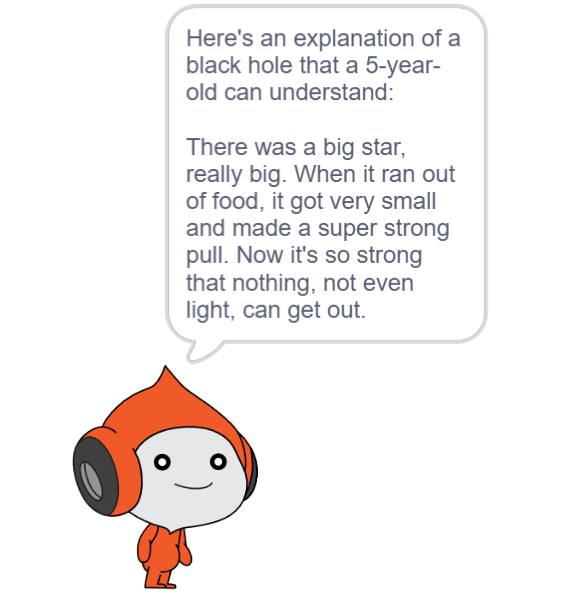
An example of this is as follows:
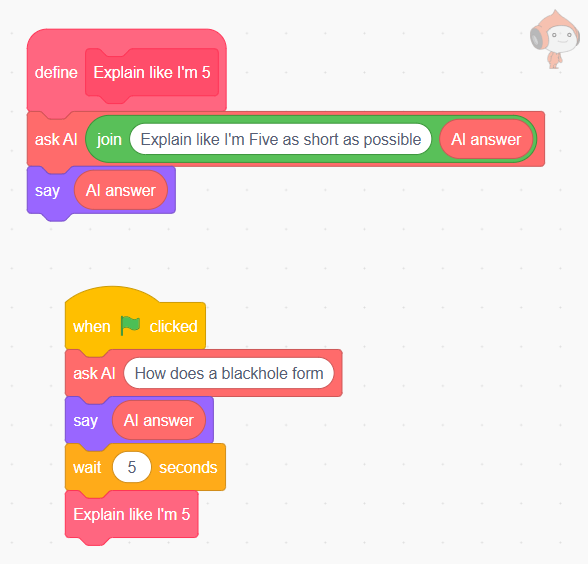
The custom block asks M3D AI about black holes. That response is defined by the profile set by the user. With this custom block, the response can be reconfigured for that specific use case.