Grade 3 – Session 1: “Reaction Time Challenge”
Architect: Aleeza Ayaz - Markhor3D
Session Length: 50-60 minutes
Session Overview:
In this session, students will measure and compare their reaction times to visual, auditory, and touch stimuli using MeasureLab and a touchpad sensor. Through hands-on activities, they will test their ability to respond quickly to different types of stimuli and observe their results on live plots and timers. This session not only introduces students to the concept of reaction time but also familiarizes them with MeasureLab as they explore how data is captured and displayed in real time. By working in groups to record and analyze their reaction times, students will develop an understanding of how MeasureLab tools can help visualize and interpret scientific observations. This session fosters collaboration, curiosity, and a foundational understanding of how the brain and body work together to respond to stimuli.
Learning Objectives:
In this session, students will:
- Measure and compare reaction times to visual, auditory, and touch stimuli.
- Develop an understanding of live plots and timers, learning to interpret quick versus delayed responses.
- Begin exploring the concept of synchronization between stimuli and responses.
- Work collaboratively in groups to observe differences in reaction times for different stimuli.
Teacher Resource:
Session File: ML31.plf (66.2 KB)
Equipment Required:
- MeasureLab.
- Touchpad sensor.
- Laptop or PC to display live plots of reaction times and timers.
Preparation:
This step has to be done before the session on each workstation/apparatus by the teacher/session instructor:
- Make sure that each computer has Physlogger installed and can detect the Measrelab when connected to it using the provided cable.
- Each Measurelab should have access to a power outlet for sensors that require external power. For this session, Photogate will be used which requires an external power source.

- Launch the Physlogger application and load the session file provided in the resources section.
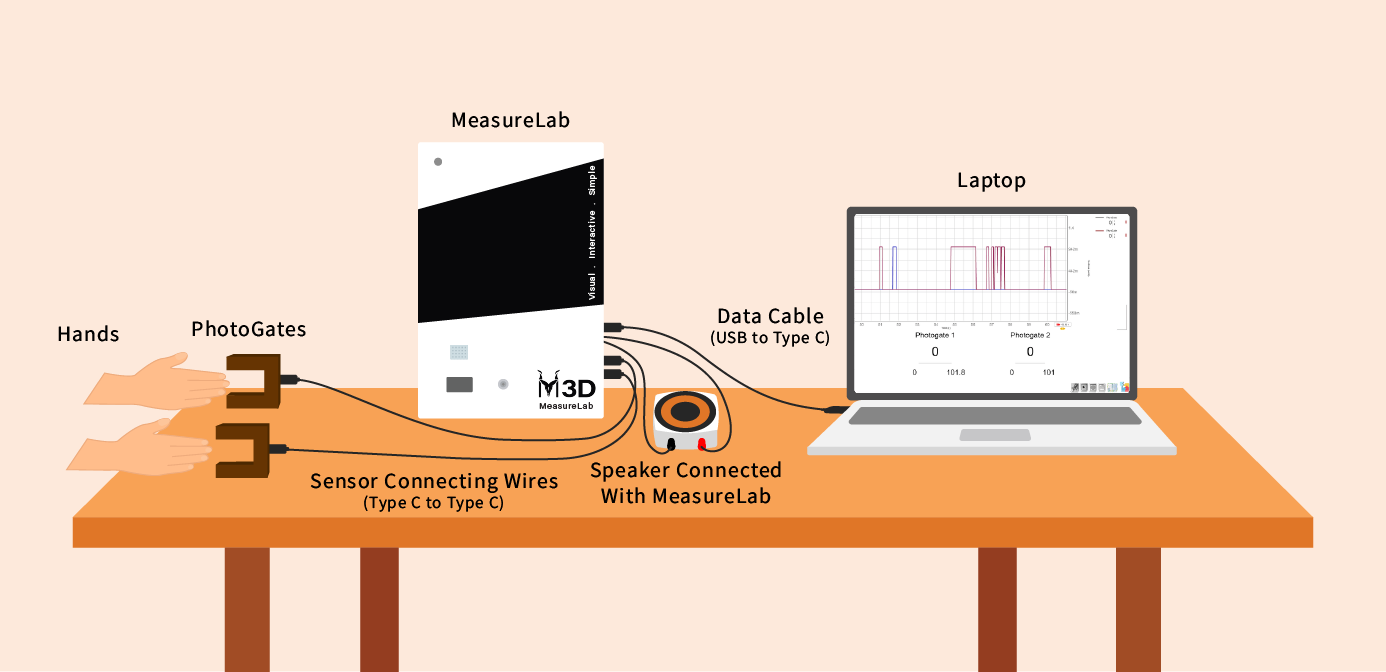
Your setup will look something like this:
Introduction: (10 minutes)
You may start by saying:
“Good morning, class! How are you today? Let’s play a quick game—when I count to three, everyone clap at the same time. Ready? 1, 2, 3!”
After the clapping, you may ask:
“Did we all clap at the exact same time? Some of us were a little faster, and some were a little slower. Today, we’re going to see how fast we can react to different things!”
Explain the concept of a stimulus:
“A stimulus is something that makes us react. It could be something we see, something we hear, or something we feel. When we see a ball coming toward us, that’s a visual stimulus. If someone calls our name, that’s an auditory stimulus. And if someone taps us on the shoulder, that’s a touch stimulus. Our brains have to figure out how to respond to those stimuli quickly.”
Hands-On Exploration: (30-40 minutes)
Step 1: Group Setup
Students will sit in small groups, and two students from each group will participate at a time. Each group will have MeasureLab set up with the touchpad sensor ready.
You may explain:
“While you’re doing the activity, you’ll write your results in the worksheet. Each pair will write down their reaction times after each trial.”
Step 2: Testing Reaction Time
- Visual Stimulus:
- One student passes their hand through the Photogate, causing a peak to appear on the screen.
- The second student passes their hand between the Photogate as soon as they see the peak.
- The live plot will show the reaction, and the timer will reveal how long it took the second student to respond(You can place the Photogate on the ground and ask student to tap the space between it.)
You may ask: - “How long did it take to react? Do you think you can react faster next time?”
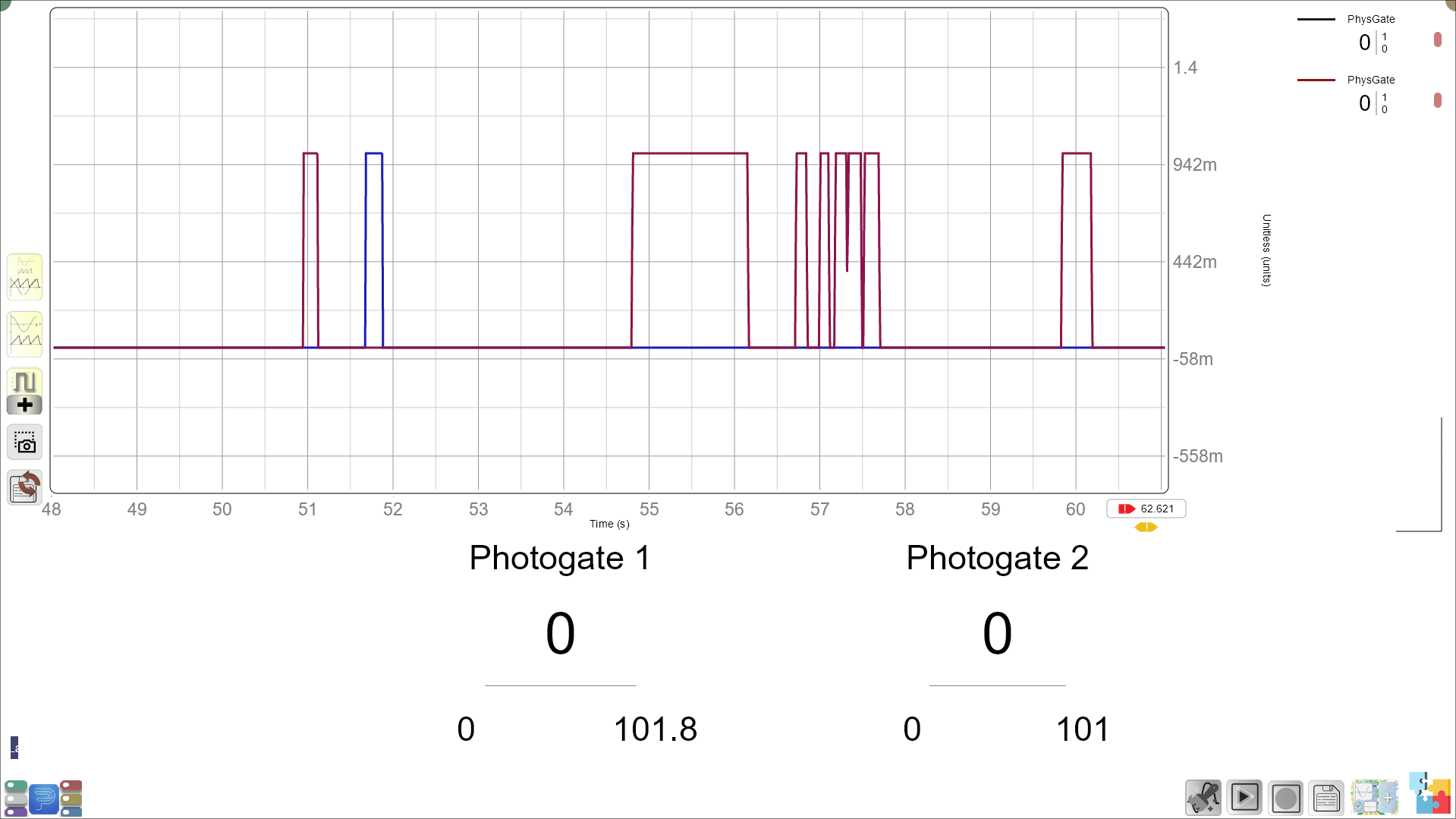
- Their reaction time will be the difference between the time 1st and second Photogate shown on the screen below the live plot.
- Auditory Stimulus:
- One student presses the on-screen button while the second student listens carefully.
- When the second student hears the sound, they will tap the touchpad as quickly as possible.
- The live plot and the timer will show how long it took for the student to react.
You may ask: - “Was it easier to react to the sound or the peak on the screen? Why do you think that is?”
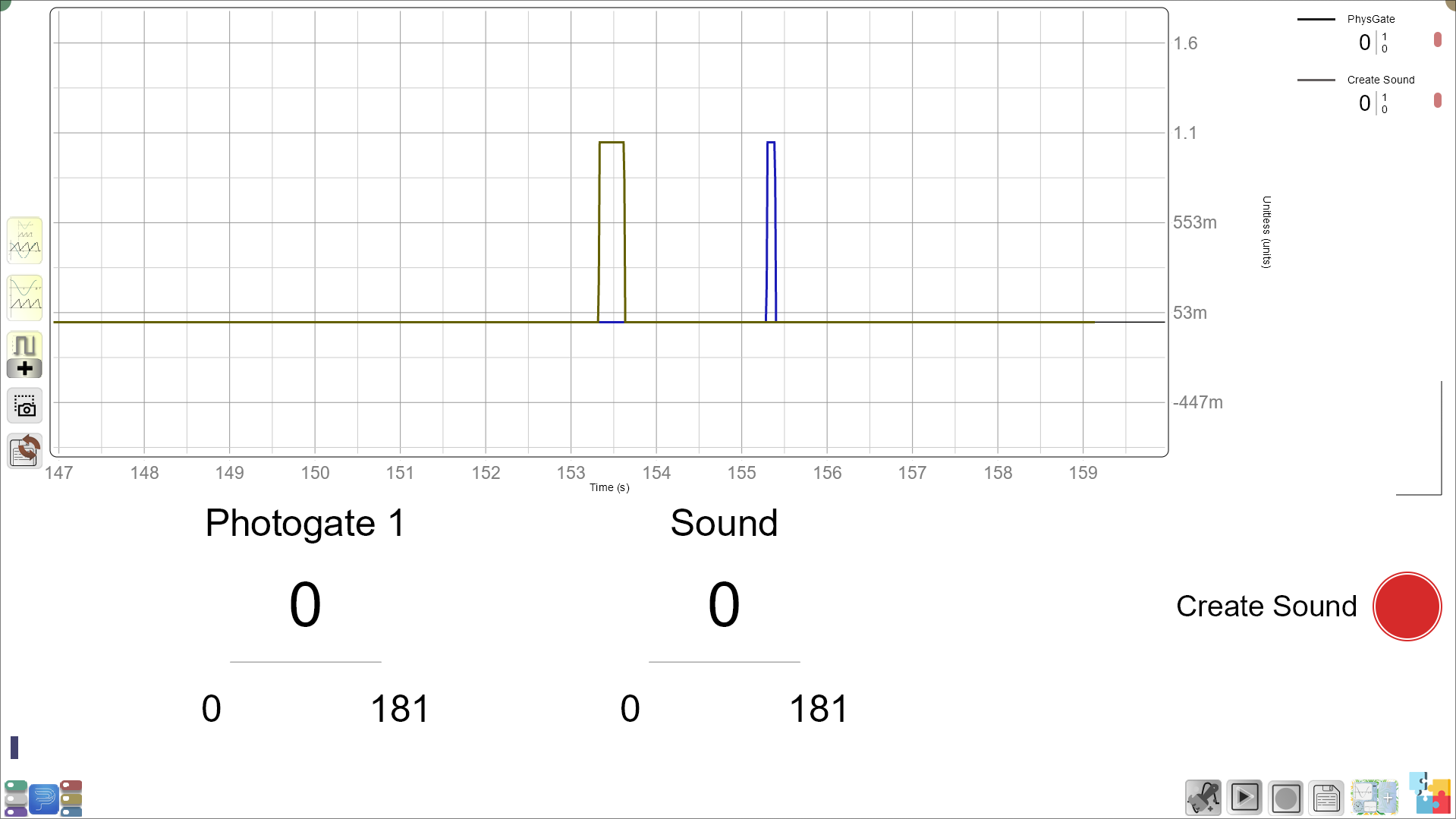
- Their reaction time will be the difference between the time of sound and time of touch shown on the screen below the live plot.
- Touch Stimulus:
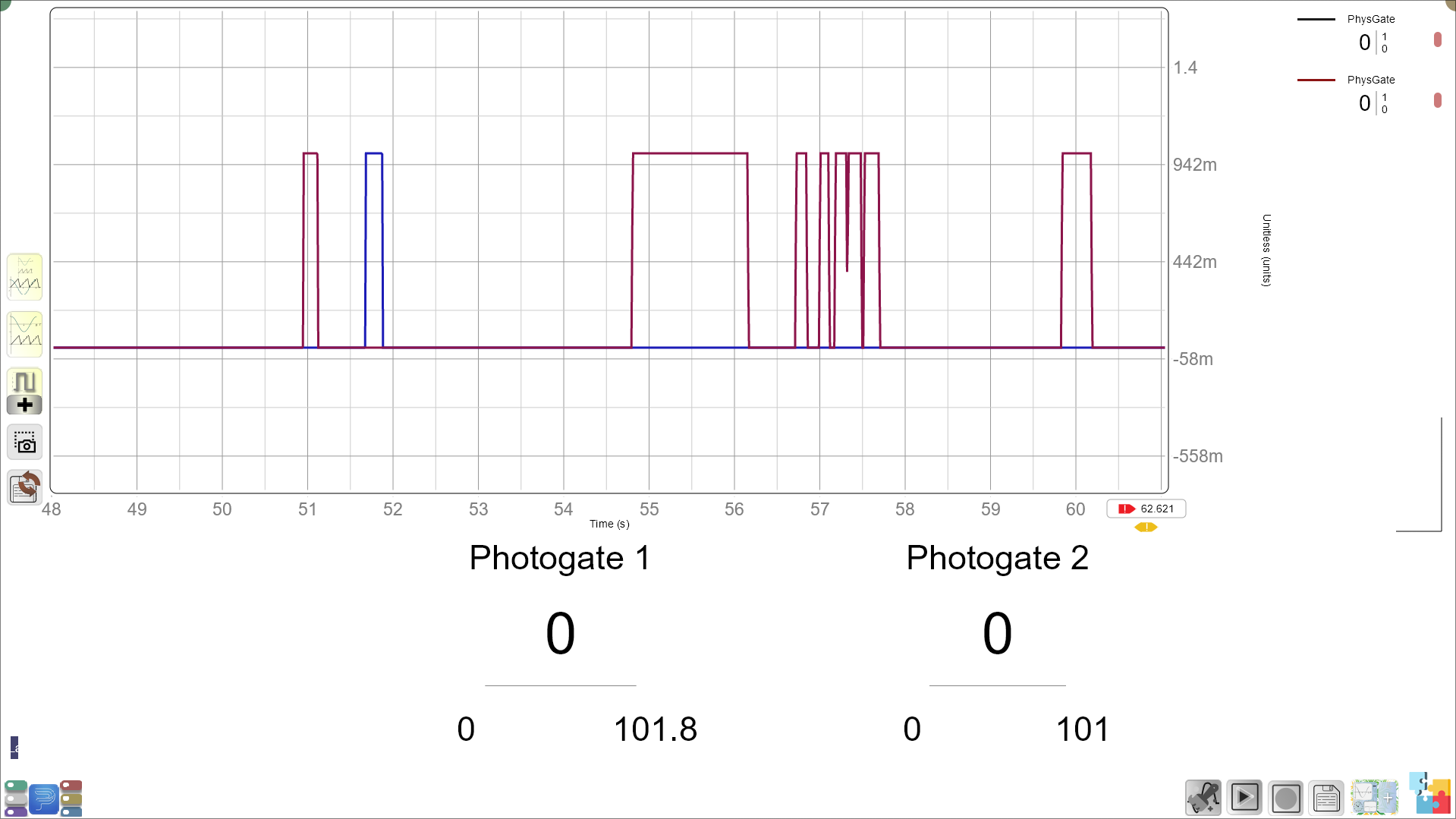
- A third student taps both of the other students on the shoulder at the same time.
- As soon as each of them feels the tap, they will tap the touchpad.
- The screen will display how synchronized their reactions were through the live plot and the timer.
You may ask:
- “Did both students feel the tap at the same time? How close were your reaction times?”
Step 3: Comparing Results and Understanding Live Plots
After each group tests their reaction times with visual, auditory, and touch stimuli, they will observe how the times are displayed on the live plot and the timer.
You may guide them:
“Let’s compare when you reacted the fastest. Was it easier to react to what you saw, heard, or felt? Look at the timer—what do you notice?”
You may ask students to reflect:
- “Which stimulus—light, sound, or touch—did you react to the fastest?”
- “Did you find that one was harder to respond to? Why do you think that was?”
Encourage students to compare their times and observe differences:
You may ask:
- “What do you think made some reactions faster than others?”
Teacher’s Role:
Guide students in identifying any differences in their reaction times and helping them reflect on why certain stimuli might have been harder or easier to respond to.
Worksheet Activity:
- Reaction Time Recording Table:
Students will record the reaction times for each pair based on the three types of stimuli (visual, auditory, and touch).
Layout Example:
| Pair | Visual Reaction Time (seconds) | Auditory Reaction Time (seconds) | Touch Reaction Time (seconds) |
|---|---|---|---|
| Pair 1 | |||
| Pair 2 | |||
| Pair 3 |
Summary and Reflection: (5-10 minutes)
You may conclude with:
“Today, we learned how our brains respond to different things—whether we see, hear, or feel them. We measured how fast you could react and saw the difference on the live plot and timer.”
Reflection Questions:
- “Which stimulus was the hardest to react to? Which was the easiest?”
- “How do you think you could improve your reaction times in the future?”
Glossary:
- Reaction Time: The amount of time it takes to respond to a stimulus.
- Stimulus: Something that causes a reaction, like a light, sound, or touch.
- Live Plot: A plot that shows how fast or slow your reaction is in real time.
- Timer: A display that shows the exact time it took to react.
- Synchronization: How closely two or more actions happen at the same time.