Session 7: “Collaborative Creation: Building a Village”**
Architect:
Syed Shayaan Haider - Markhor3D
Learning Objectives
In this session, the students will:
- Collaborate in Small Groups: Work together to plan and begin designing a simple building in TinkerCad.
- Apply Basic TinkerCad Skills: Utilize previously learned skills to create 3D models.
- Understand Concepts of Scale and Proportion: Learn how their buildings need to fit together in a shared village scene.
- Develop Planning Skills: Sketch ideas and plan their designs before creating them digitally.
- Enhance Communication Skills: Share ideas and make decisions collaboratively within their groups.
Teaching Aids
Required Equipment:
- Computers or Tablets:
- One per group, with internet access.
- TinkerCad Accounts:
- Ensure group access or individual accounts as needed.
- Projector and Screen:
- For demonstrations and displaying examples.
- Whiteboard and Markers:
- For explanations and group planning.
- Paper and Pencils:
- For sketching designs and planning.
- Sample Models or Images:
- Pictures of simple buildings (houses, shops, schools) for inspiration.
- Grouping Materials:
- Name tags or cards to organize students into groups.
- Measuring Tools (Optional):
- Rulers or measuring tapes to discuss scale.
Structure and Lesson Plan (Total Time: 50 minutes)
1. Introduction to the Project (10 minutes)
-
Welcome Students:
- “Hello, everyone! Today we’re starting an exciting new project: we’re going to build our very own village together!”
-
Explain the Project Overview:
- “Over the next few sessions, each group will design a building, like a house, shop, or school, using TinkerCad.”
- “At the end, we’ll put all your buildings together to create a shared village scene!”
-
Introduce Concepts of Scale and Proportion:
- Simplified Explanation:
- “Scale means making sure our buildings are the right size compared to each other.”
- “Proportion means that the parts of your building fit well together.”
- Visual Aid:
- Show images of buildings of different sizes.
- “See how this tiny door wouldn’t fit a person? We need to make sure everything is the right size!”
- Simplified Explanation:
-
Set Expectations:
- “We’ll be working in groups, so it’s important to listen to each other and share ideas.”
- “Today, we’ll plan our designs and start creating them in TinkerCad.”
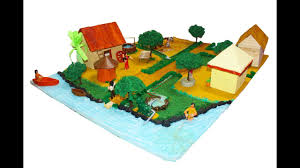
2. Forming Groups and Assigning Roles (5 minutes)
-
Divide Students into Small Groups:
- Group size: 3-4 students per group.
- Use name tags or cards to assign groups if needed.
-
Assign Roles Within Groups (Optional):
-
Roles:
- Designer: Leads the sketching and design ideas.
- Computer Operator: Handles the computer and TinkerCad.
- Recorder: Takes notes and ensures the group’s ideas are written down.
- Presenter: Shares the group’s ideas with the class.
-
Explain:
- “Each of you will have a special role to help your group work well together.”
-
-
Emphasize Teamwork:
- “Remember, everyone should share ideas and help each other, no matter what your role is.”
3. Planning and Sketching Designs (15 minutes)
-
Distribute Paper and Pencils:
- Provide each group with materials for sketching.
-
Guide the Planning Process:
-
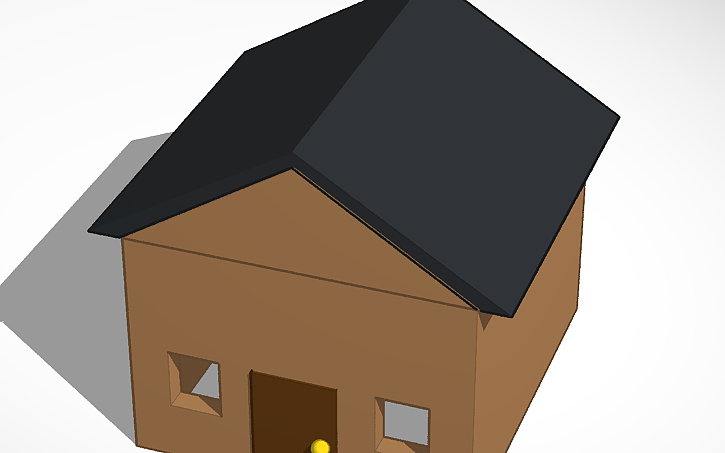
Step 1: Decide on a Building Type
- “First, decide what kind of building your group will make. Will it be a house, a shop, a school, or something else?”
-
-
Step 2: Sketch the Building
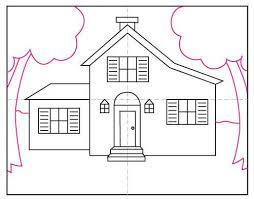
- “Work together to draw a simple sketch of your building.”
- “Think about the basic shapes you’ll use. Remember the shapes we’ve learned: cubes, cylinders, pyramids, etc.”
-
Step 3: Consider Scale
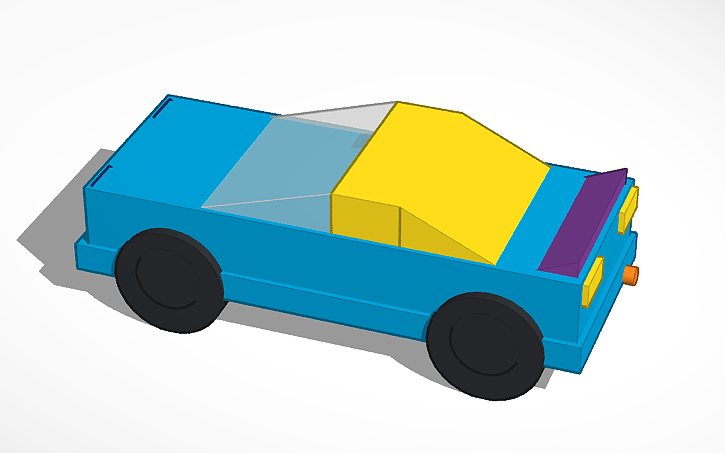
- “Make sure your building isn’t too big or too small compared to others.”
- “Think about how tall and wide it should be so it fits well in our village.”
-
Teacher Assistance:
-
Circulate among the groups to provide guidance.
-
Ask prompting questions:
- “What shapes will you use for your building?”
- “How many windows or doors will it have?”
- “How tall do you think your building should be?”
-
4. Beginning the Digital Design (15 minutes)
-
Access TinkerCad:
- Have each group log in to TinkerCad on their assigned computer.
-
Guide the Design Process:
-
Step 1: Start a New Project
- “Click on ‘Create new design’ to start your building.”
-
Step 2: Recreate Your Sketch Using Shapes
- “Use the basic shapes to build your building, just like in your sketch.”
- “Remember to use the skills we’ve learned: placing shapes, resizing, grouping, etc.”
-
Step 3: Apply Scale and Proportion
- “Make sure your building’s size makes sense.”
- “Use the ruler tool if you want to check measurements.”
-
-
Teacher Assistance:
-
Move around the room to help groups with:
- Translating their sketches into 3D models.
- Solving any technical issues.
- Ensuring fair participation among group members.
-
-
Encourage Creativity:
- “Feel free to add details like doors, windows, or decorations!”
6. Sharing Progress and Collaborative Planning (3 minutes)
-
Quick Group Presentations:
- “Let’s take a moment to hear from each group about what they’re creating.”
-
Each Group Shares Briefly:
- “Tell us what building you’re making and one thing you’ve added so far.”
-
Foster a Sense of Community:
- “It’s great to see all these different buildings! They’ll look wonderful together in our village.”
7. Conclusion and Next Steps (2 minutes)
-
Summarize the Session:
- “Today, we started building our village by planning and beginning our buildings.”
-
Preview Next Session:
- “In our next session, we’ll continue working on our designs and get them ready for printing.”
-
Encourage Reflection:
- “Think about what else you might want to add to your building next time.”
-
Closing Encouragement:
- “Excellent teamwork today! I’m excited to see your villages come to life.”
Additional Notes for the Teacher
- Guide to TinkerCad (link to separate document)
- Guide to Cura (link to separate document)
- Getting Started with M3D Enabler (link to separate document)
- Preparation:
- Ensure all computers are functioning and have access to TinkerCad.
- Prepare sample images of simple buildings for inspiration.
- Decide on group assignments ahead of time to save class time.
Key Vocabulary
- Collaborate: To work together with others to achieve a common goal.
- Scale: The size of something compared to a standard or to other objects.
- Proportion: The relationship in size between different parts of an object.
- Planning: Thinking about and organizing the steps needed to complete a task.
- 3D Model: A digital representation of an object that has length, width, and height.
Previous Session.
Next Session
For suggestions, improvements, and corrections, feel free to reach out at shayaanhaider@gmail.com