Grade 6 - Session 1: “Speed and Acceleration”
Session Architect: Aleeza Ayaz - Markhor3D
Session Length: 55-60 minutes
Learning Objectives:
In this session, students will:
- Measure speed and acceleration of a ball in free fall using photogate sensors.
- Record time readings and calculate speed at two points using the distance between two photogates.
- Calculate acceleration between two points during free fall and relate it to gravity.
- Measure the mass of the ball using a load cell and calculate its weight using the formula W = mg.
- Understand the relationship between mass, weight, gravity, and acceleration.
Equipment Required:
- PC/Laptop to display measurement and live plot
- MeasureLab with photogate sensors to measure the time at which the ball passes each sensor.
- Meter rule to measure the vertical height between points.
- Free-fall setup (e.g., a stand and clamps to release the ball from a height).
- Load cell to measure the mass of the ball.
- A small ball for the free-fall experiment.
- Worksheet for recording data, calculations, and reflecting on concepts.
- Pens, pencils, markers, etc.
Teacher Resource:
Session File: ML61.plf (61.5 KB)
Teaching Aids:
- Visual aids: Diagrams of speed, acceleration, gravity, and how photogate sensors and load cells work.
- Projector (optional).
Preparation:
This step has to be done before the session on each workstation/apparatus by the teacher/session instructor:
- Make sure that each computer has Physlogger installed and can detect the Measrelab when connected to it using the provided cable.
- Each Measurelab should have access to a power outlet for sensors that require external power. For this session, 2 Photogates will be used which require an external power source:

- Launch the Physlogger application and load the session file provided in the resources section.
-
- In this session, we will have 2 different workspaces which will show the value of our three sensors in separate spaces:
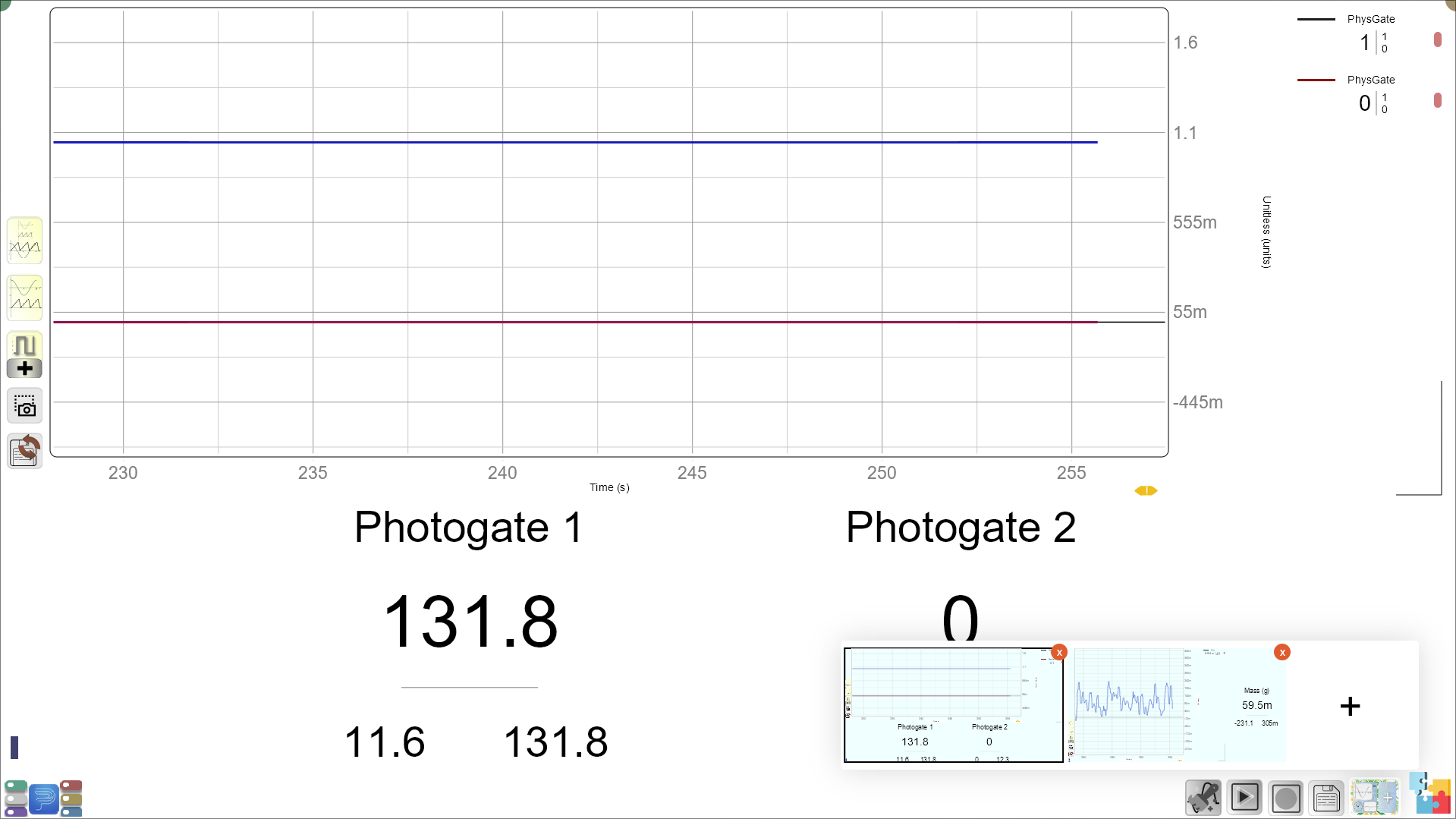
Make sure that the students are familiar with the workspaces and can switch between the workspaces with ease.
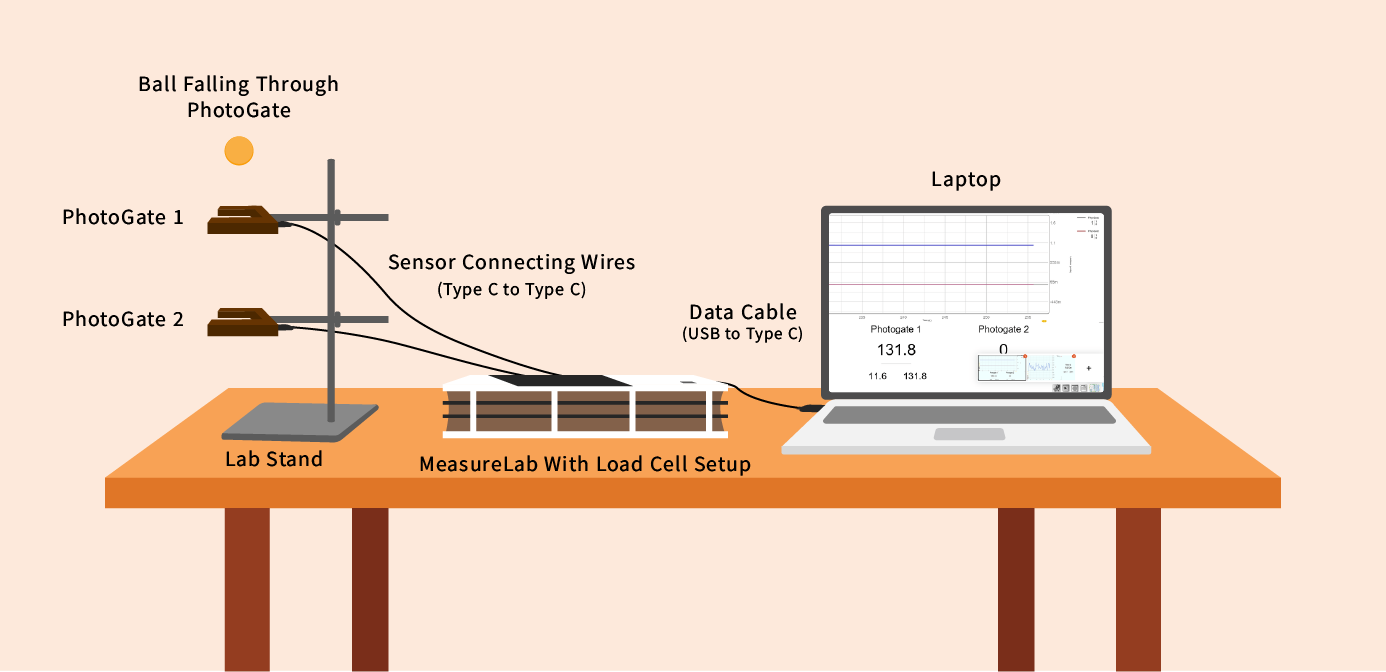
Your setup will look like this:
Introduction and Hands-On Exploration: (50-55 minutes)
Engaging Students with Everyday Examples:
-
You may start by saying:
“Have you ever noticed that when you drop something, it starts off slow and then speeds up? Why do you think that happens?”- Let students respond, guiding them toward gravity as the force responsible for speeding up objects in free fall.
-
You may build on their responses by saying:
“That’s right! When you drop something, it falls faster and faster because gravity is pulling it down. Today, we’re going to measure exactly how fast an object falls using sensors, and we’ll calculate its speed and acceleration.”
Step 1: Setting Up the Experiment with Sensors
-
You may say:
“We’re going to drop a ball from a height right before it passes through the first photogate sensor, where the initial time is approximately zero. The ball will then pass through a second photogate sensor further down, which will record the time when the ball passes.”- Show students the free-fall setup, explaining how the ball will fall through the first photogate sensor and then through the second one.
-
Ask students:
“What do you think will happen to the ball’s speed as it falls? Will it stay the same or increase?”- Encourage students to make predictions about the ball’s speed and record their thoughts on the worksheet.
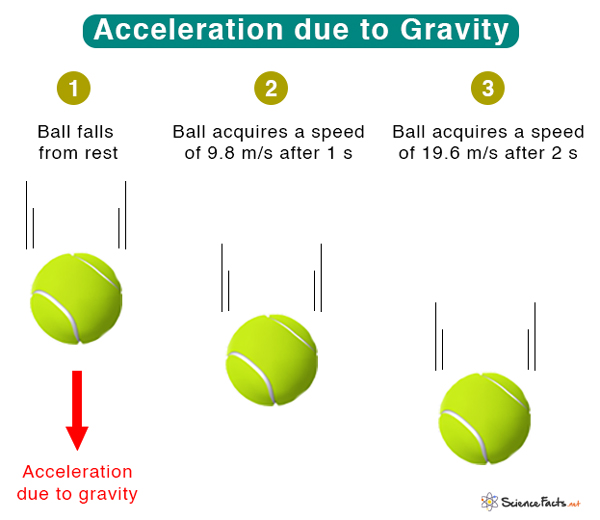
Step 2: Measuring the Distance Between Two Points
Using the Distance Sensor or Meter Rule:
Guide students to measure the distance between the two photogate sensors using a meter rule.
-
You may say:
“We need to know how far the ball falls between these two points so we can calculate the speed and acceleration. Let’s use the distance sensor (or meter rule) to measure the vertical height between the sensors.”- Students should record the distance on their worksheet, as this will be needed to calculate speed and acceleration.
Step 3: Running the Free-Fall Experiment
Step 3a: Dropping the Ball and Recording Time
-
You may explain:
“Now, we’re going to drop the ball from just above the first photogate, so the time when it passes through the first sensor will be nearly zero. When it passes through the second photogate, we’ll record the time to calculate the speed.” -
Ask students:
“How do you think the ball’s speed will change as it falls through the two sensors?”- Allow students to make predictions.
Step 3b: Dropping the Ball
Drop the ball from above the first photogate, and let it pass through both photogates.
- You may say:
“Now that we have the time readings from the photogates, we’ll use this data to calculate how fast the ball was moving between the two points.”
Step 4: Calculating Speed and Acceleration
-
You may say:
“Now that we have the time readings, we can calculate the speed of the ball using the formula:
Speed = Distance ÷ Time.”- Guide students through the calculation, using the distance between the two photogates and the time difference between passing through each photogate.
-
You may explain:
“We’ll also calculate the ball’s acceleration. Acceleration tells us how much the ball’s speed is changing between the two points. The formula for acceleration is:
Acceleration = (Final Speed - Initial Speed) ÷ Time.”
Worksheet for Speed and Acceleration:
| Position | Time (s) | Distance (m) | Speed (m/s) = Distance/Time | Acceleration (m/s²) = Speed/Time |
|---|---|---|---|---|
| Point A (Start, Approx. 0) | 0 | 0 | 0 | 0 |
| Point B | Measured Distance | Calculated Speed | Calculated Acceleration |
Step 5: Weighing the Ball and Understanding Weight
-
You may say:
“Now that we know the ball’s speed and acceleration, let’s talk about its weight. The weight of an object is the force pulling it down, and it depends on two things: the object’s mass and the acceleration due to gravity.” -
Ask students:
“Does anyone know the formula for calculating weight? It’s W = mg, where w is the weight, m is the mass, and g is the acceleration due to gravity.”- You may guide students to use the load cell to measure the mass of the ball.
-
You may explain:
“We’ll use the load cell to measure the ball’s mass. Then, using the formula W = mg, we can calculate the ball’s weight. Remember, g (the acceleration due to gravity) is 9.8 m/s² on Earth.”
Weight Calculation Table:
| Mass of Ball (kg) | Acceleration (m/s²) | Weight (N) |
|---|---|---|
| 9.8 |
Reflection and Discussion: (5-10 minutes)
You may ask:
- “What happened to the ball’s speed as it fell through the photogates?”
- “Why do you think the ball’s speed increased? What force was acting on it?”
- “How does the ball’s mass relate to its weight? What did you notice about the relationship between mass, acceleration, and weight?”
- “Can you think of other real-life examples where gravity causes objects to accelerate?”
- “If a ball were to fall forever on Earth, would its speed keep on increasing?”
Summary and Wrap-Up: (5-10 minutes)
You may summarize:
“Today, we measured the speed and acceleration of a falling ball. We saw that gravity pulls objects downward, causing them to accelerate as they fall. Using photogate sensors, we calculated the ball’s speed and acceleration, and then we used the load cell to measure its mass and calculate its weight.”
You may end with a real-life connection:
“Next time you see something falling or when you drop something, think about how gravity is pulling it down, making it speed up. Its weight depends on both its mass and how strong the pull of gravity is.”
Glossary:
- Speed: How fast an object is moving (distance traveled over time).
- Acceleration: The rate at which an object’s speed changes.
- Gravity: The force that pulls objects toward the Earth, causing them to accelerate.
- Photogate Sensor: A device that measures the time an object takes to pass through a light beam.
- Load Cell: A device used to measure the mass of an object.
- Weight: The force of gravity on an object, calculated as W = mg