Session 7: Math Relay with Robot Movements and Screen Display
Session Architect: Muhammad Bilal
Session Length: 40-50 minutes
Equipment Required:
- M3D Robotics kit.
- Laptops with Scratch pre-installed.
- Paper and pencils for students to solve math problems and plan movements.
- Number cards (1–10 based on the number of students groups) to place in designated spots for the robot to move to.
Learning Objectives:
- Apply math skills (addition and subtraction) to program the robot’s movements.
- Use block coding to display text on the robot’s screen.
- Understand even and odd numbers and how to apply them in coding.
- Develop problem-solving skills through coding.
Resources:
Scratch Code File:
Grade 1 Session 7.sb3 (3.1 MB)
1. Introduction: Connecting Past Activities & Even/Odd Numbers (10 minutes)
Activity:
Start by introducing the activity in a fun and engaging way, linking it to their previous experiences with block coding and the robot’s screen. Then, introduce the concept of even and odd numbers using real-life examples.
Instructions:
Start by revising what they had learnt previously since they will be using those concepts and merging them into a single activity. You can say:
“Remember when we used blocks to make the robot move, and how we made it show fun messages on its screen? Today, we’re going to mix those two together! You’ll solve math problems, tell the robot how many steps to move, and it’ll show you if your answer is even or odd right on its screen!”
- Start a discussion about even and odd numbers. Ask them if they know about the concept of even and odd numbers and if they can think of examples from their daily lives.
- Build up on their answers to keep the discussion going.
- If they are not familiar with the even/odd numbers, you can start with real life examples to introduce the concept. You may say:
“Think about your shoes. You have two shoes, one for each foot—so that’s an even number because they come in pairs. But imagine you lost one sock—now you have one left, and that’s an odd number because it doesn’t have a pair. Even numbers are like things that always come in pairs, like shoes, socks, or bicycle wheels. Odd numbers are like things that don’t have a match, like one lonely glove!”
- Encourage them to think of other examples:
“Can you think of something else in your life that comes in pairs? What about things that don’t have a match?”
Teacher’s Role:
- Build excitement by relating it to what they’ve done before, and introduce even and odd numbers in a fun and relatable way.
- Ensure students understand how even and odd numbers work with real-life examples they encounter daily.
2. Play with the “Show Text” Block (10 minutes)
Activity:
Before moving on to math problems, students will explore the “Show Text” block to display anything they want on the robot’s screen (e.g., their name, favorite cartoon).
Instructions:
Introduce the “Show Text” block and connect it to how they used a button when playing with emojis in the second session.
“Okay, now let’s have some fun before we move further! We’re going to make the robot say whatever we want on its screen. It can say your name, your favorite cartoon character, or anything you like! You have done this before when you used different buttons to show emojis on the screen. But this time, we don’t need those buttons. All we need is this magic block called ‘Show Text.’”
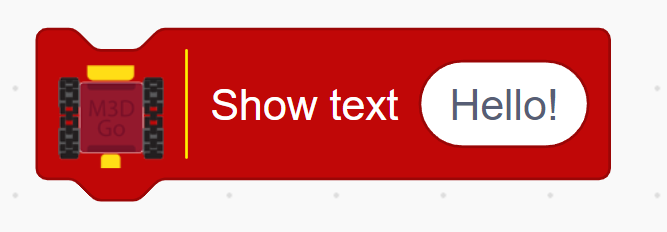
- Demonstrate by dragging the “Show Text” from the “M3D Go” block section into the coding space:
“You just type in what you want to say, like ‘Hello’ or ‘I love pizza,’ and click the green flag. The robot will say it on its screen!”
- Guide students to open Scratch, drag the “Show Text” block, and type in their chosen text to display on the robot’s screen using this block in combination with “When Green Flag Clicked” block.
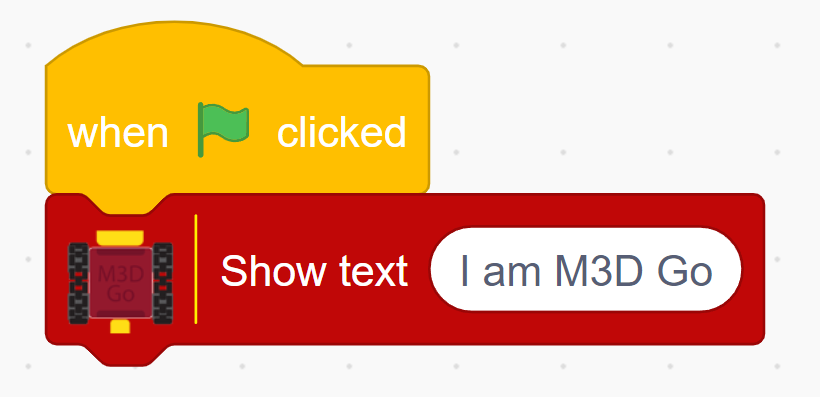
“Let’s see what fun things your robot has to say! Click the green flag and watch the robot’s screen.”
Teacher’s Role:
- Walk around the room, encouraging students to be creative and have fun exploring how the “Show Text” block works.
- Help students who might need assistance in getting the robot to display their chosen text.
3. Setting Up Math Problems (15 minutes)
Activity:
After getting familiar with the “Show Text” block, students will solve math problems and use the block to display whether the answer is even or odd.
Instructions:
You may start introduce this part as:
“Now that we know how to make the robot show text, let’s use it to solve some math problems! You’ll tell the robot to move forward by the number of steps that match your answer. We did something similar last time right? But last time the robot moved the same distance even if our answer was big or small. This time it will move farther if your answer is big.”
-
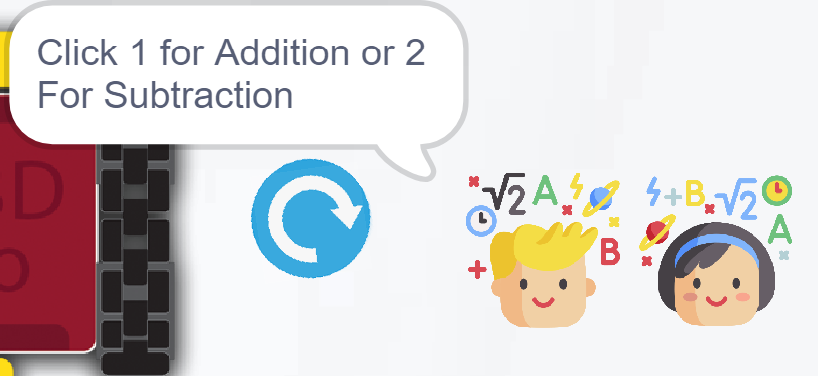
Ask students to write 5 addition and 5 subtraction questions on a piece of paper. Once they have their questions. Ask them to click on the sprite:
-
Now that you have a list of questions, you will give your question and your answer to the robot and it will check for you, just like I do.
-
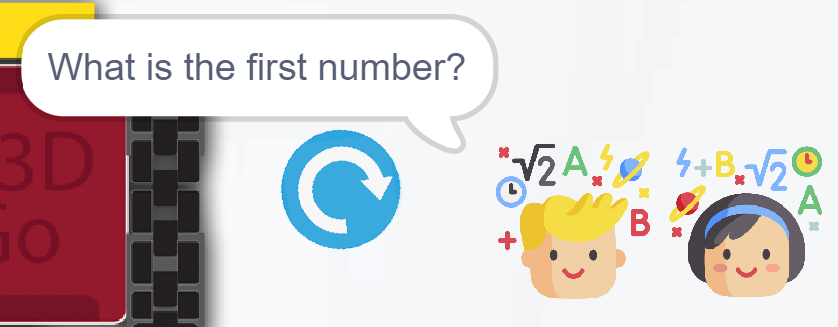
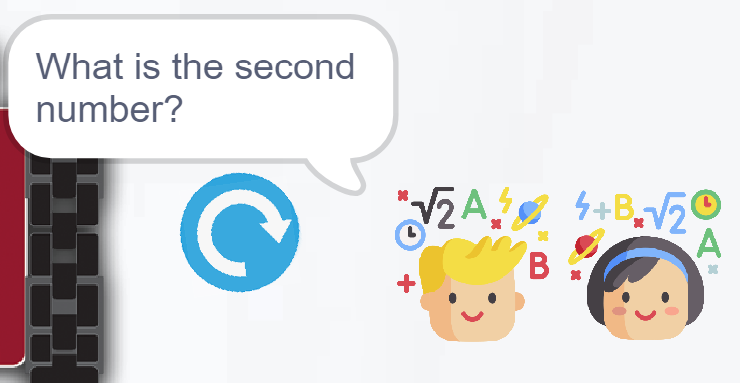
Once they choose if they are solving an addition question or a subtraction question, ask students to write the first number of their question:
-
Do the same for the second number:
-
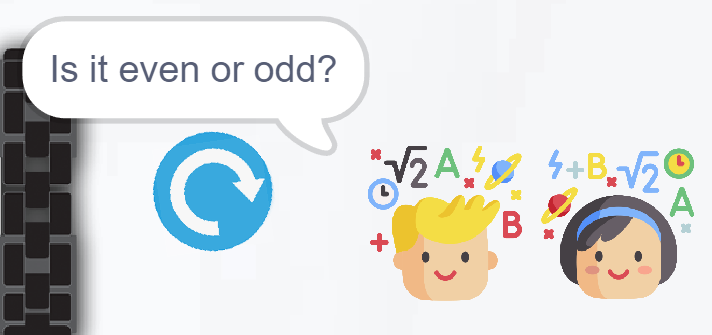
Once they do so, the robot will ask them their provided question. After type their answer, it will ask whether their answer is even or odd:
-
They have to write either even or odd depending on their answer.
Teacher’s Role:
- Guide students through solving math problems and applying what they’ve learned about even and odd numbers.
- Help students while they’re trying to think of questions.
- Assist students to feed their questions to the robot.
4. Robot Round-trip: Guided by Math (10 minutes)
Activity:
Students will work together as a team to guide their robot to the finish line by solving math problems. Each student will take turns contributing to the robot’s movement based on their answers, encouraging teamwork and reinforcing math skills.
Instructions:
“Let’s help our robot reach the finish line! Each of you will solve a math problem, and the robot will move forward based on your answers. As a team, we’ll guide the robot together!”
- Provide a sheet of math problems to each group.
- Each student will solve a math problem, and based on their answer, they will program the robot to move the corresponding number of steps.
- As a group, they will track the robot’s progress and support one another in solving problems and coding the robot.
- At the end point where all robots meet, you may encourage students to make their robots talk to each other as a group of friends who completed a long journey.
Teacher’s Role:
- Facilitate teamwork by encouraging every student to take part and assist those who face difficulty with the math problems or coding.
- Walk around the room, offering guidance to ensure students understand how their answers affect the robot’s movement and supporting anyone who needs help solving the math problem or programming the robot.
5. Reflection and Wrap-Up (10 minutes)
Activity:
Gather the students together to reflect on the session. Encourage them to share their thoughts on using the robot to solve math problems and how they applied even and odd numbers in coding.
Reflection Questions:
- “What was the most fun part of solving math problems with the robot?”
- “Was it easy or hard to make the robot show if your answer was even or odd?”
- “Did the robot help you check your answers like a teacher? How was it different?”
- “What would you change about your robot’s program if you could do it again?”
Teacher’s Role:
- Lead the reflection discussion, encouraging students to think about what they learned and how coding made solving math problems more fun.
- Help students make connections between their learning experience and real-world problem-solving.
- Provide positive feedback to each group, celebrating their teamwork and coding efforts.
Learning Outcome:
By the end of the session, students will have practiced solving math problems, applied coding concepts to control the robot’s movement, and learned how to use the “Show Text” block to display messages.