Grade 1 - Session 6: “Magnets in Action”
Architect: Aleeza Ayaz - Markhor3D
Session Length: 50-60 minutes
Session Overview:
In this session, students will explore how magnets interact by observing changes on MeasureLab’s display when magnets are brought closer or moved farther away. Through hands-on experimentation with various types of magnets, students will intuitively learn that magnets have different “strengths” and that this strength changes with distance. This interactive session introduces fundamental ideas about magnetism in a simple, visual way, sparking curiosity about magnetic interactions.
Equipment Required:
- MeasureLab device (sensor used to display the strength of magnets, without mentioning “magnetic flux sensor” to students).
- A variety of magnets (e.g., bar magnets, small round magnets, fridge magnets).
- Objects to test interactions (e.g., another magnet, pieces of paper).
- Laptop or PC for displaying measurements.
- Worksheet with activities for students to complete based on their observations.
- Colouring materials (crayons, coloured pencils, markers).
Learning Objectives:
In this session, students will:
- Observe how magnets behave when they are close to or far from each other.
- Understand that the strength of magnets can be different and changes based on distance.
- Develop an intuitive sense that magnets have a property we can measure, without focusing on the details of the tool.
Teacher Resource:
Session File: ML16.plf (61.0 KB)
Teaching Aids:
- Projector (optional).
Preparation:
This step has to be done before the session on each workstation/apparatus by the teacher/session instructor:
- Make sure that each computer has Physlogger installed and can detect the Measrelab when connected to it using the provided cable.
- Each Measurelab should have access to a power outlet for sensors that require external power. For this session, we will use the “Magnetic Flux Sensor” which requires external power source.
- Connect the “Magnetic Flux Sensor” to the Measurelab using the following port and load the session file:

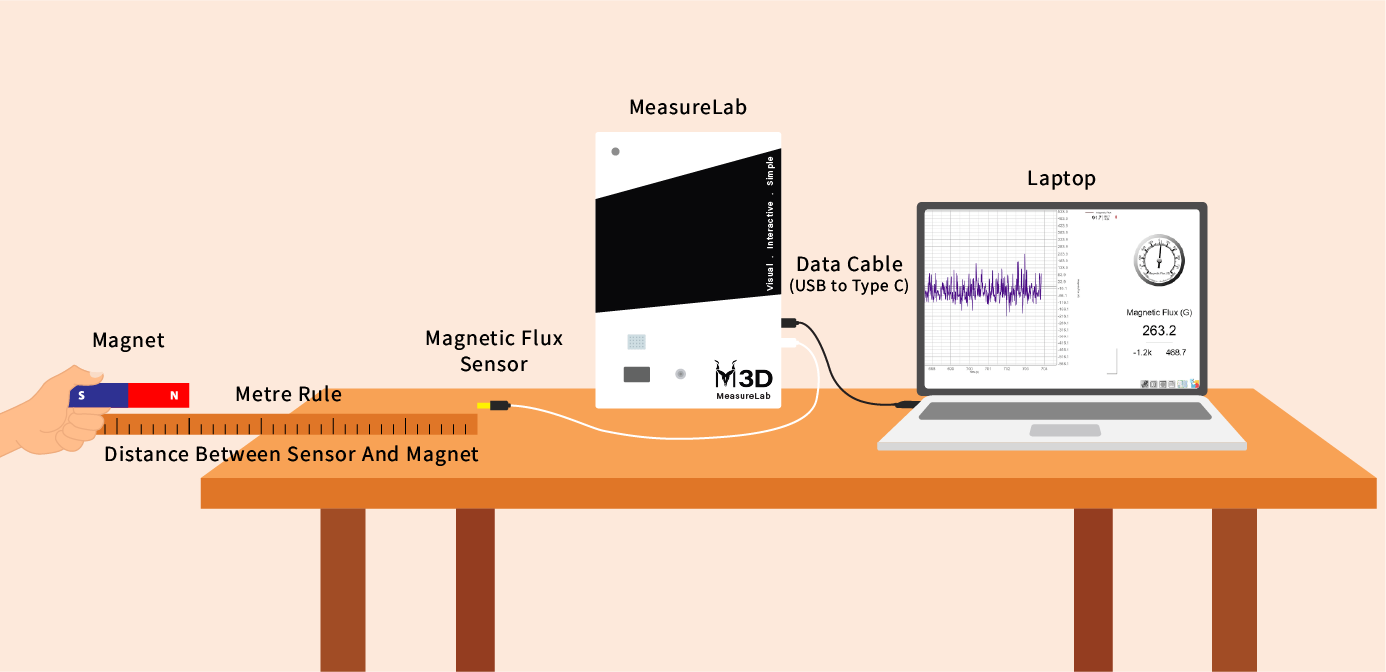
Your setup will look something like this:
Introduction: (10 minutes)
-
Set up the apparatus as shown in the diagram above.
-
You may begin by asking:
- “Have you ever played with magnets before? Where have you seen them?”
- Encourage them to share experiences like fridge magnets, toys, or even in the classroom.
-
You may then say:
- “Today, we’re going to explore what happens when magnets move closer or farther away from each other. We’ll see something interesting happen on the screen!”
Hands-On Exploration (15-20 minutes):
Exploring Magnet Strength:
-
You may start by saying:
- “Let’s take a look at this bar magnet. Hold it close to the device and watch the screen. What do you notice?”
-
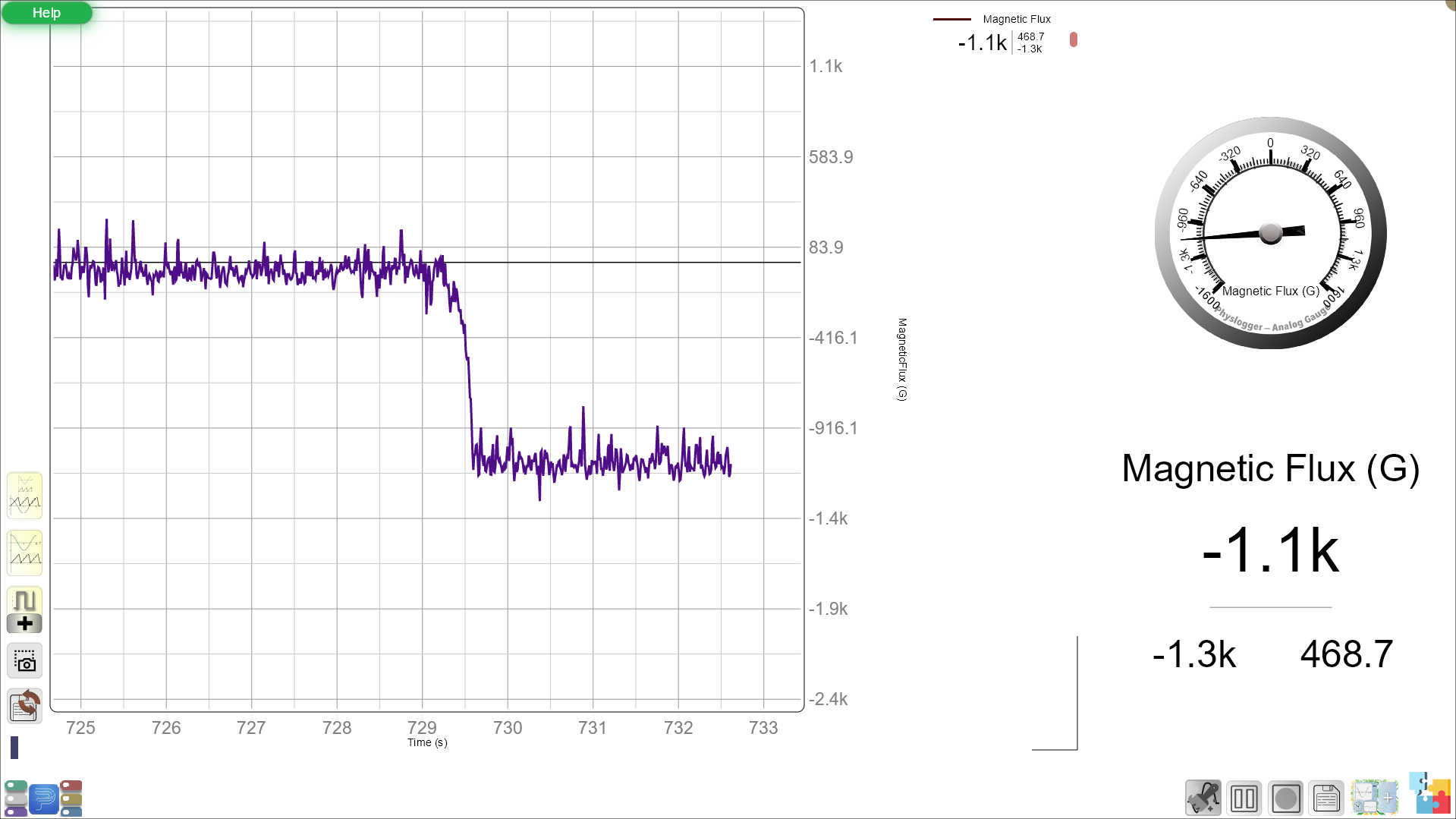
Encourage students to observe how the number on the screen changes (e.g., the number on the screen gets bigger as the magnet gets closer).
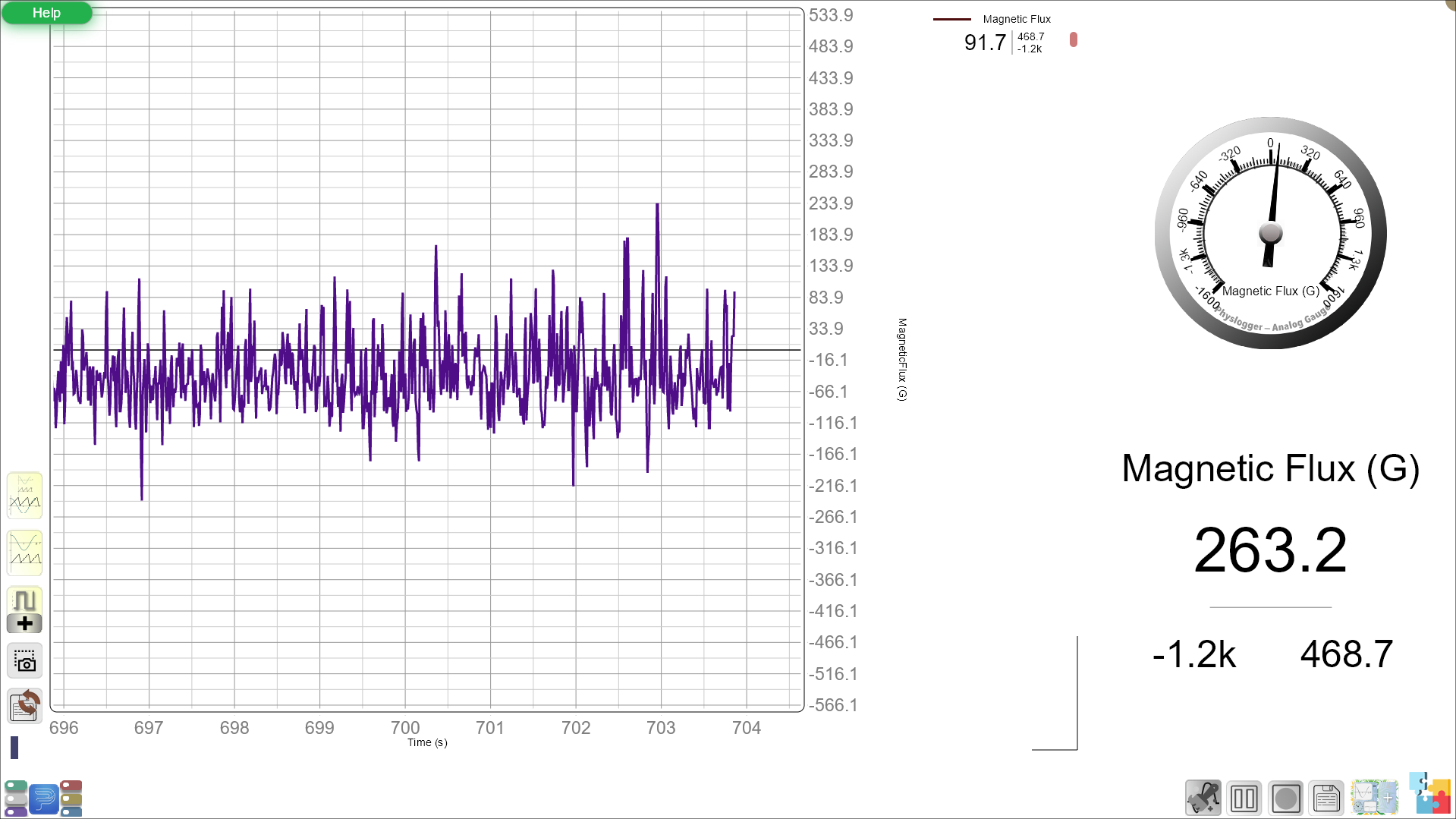
Normal Sensor Value:
Sensor value with magnet close to it
-
You may ask:
- “What do you think will happen if we move the magnet farther away? Let’s see if your guess is right!”
-
Allow students to take turns moving different magnets closer and farther from the sensor, observing the changes on the screen.
Using Different Magnets:
- Provide different sizes and shapes of magnets (e.g., a small round magnet, a larger bar magnet). Ask them to make guesses:
Do you think this bigger magnet will make the bar go higher or lower than the smaller one?
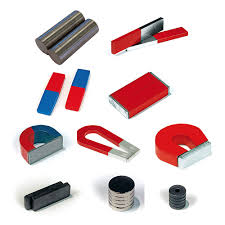
- Let students test each magnet and see how the visual feedback changes, helping them develop an understanding that different magnets have different strengths.
Guided Activity (15-20 minutes):
Worksheet Activity:
1. Magnet Distance Observation
Look at the images of numbers on a screen. Colour the boxes next to each picture to show whether the magnet is close (green), medium (yellow), or far (red) from the device.
-
Image 1: Magnet close to the device
Colour the box:
(Image to be added by teacher) -
Image 2: Magnet at a medium distance from the device
Colour the box:
(Image to be added by teacher) -
Image 3: Magnet far from the device
Colour the box:
(Image to be added by teacher)
2. Magnet Strength Observation
Look at the images of two different magnets. Circle the magnet you think would make a bigger change on the device’s screen.
-
Magnet 1
(Image to be added by teacher)
(Circle if you think this one is stronger) -
Magnet 2
(Image to be added by teacher)
(Circle if you think this one is stronger)
3. Draw Your Own Fridge Magnet
Draw a fridge magnet of your choice in the space below.
(Space for students to draw their magnet)
Summary and Reflection (5-10 minutes):
-
You may summarize the key takeaways:
- “Today, we saw that when a magnet is close to something, the screen shows a bigger change. When it’s farther away, the change is smaller. We also saw that different magnets make different changes.”
-
Reflection Questions:
- “Which magnet made the biggest change on the screen?”
- “What happened when you moved the magnet farther away?”
- “Can you think of other things that might use magnets?”
-
Encourage students to share their observations and thoughts about how magnets behave and change what they see on the screen.
Glossary:
- Magnet: An object that can pull or push other objects without touching them.
- Strength: How strong or weak a magnet’s pull or push is.
- Close/Far: Words that describe the distance between two objects.
Next Session
[Previous Session]([ML15] Grade 1 - Sound Detectives