Grade 2 - Session 6: “Friction Fun: Slippery or Sticky?”
Architect: Aleeza Ayaz - Markhor3D
Session Length: 50-60 minutes
Session Overview: “Friction Fun: Slippery or Sticky?”
In this interactive session, students explore the concept of friction by using MeasureLab’s load cell sensor to observe how much force is needed to slide objects across different surfaces. Through hands-on experimentation, they’ll compare sticky, rough, and slippery surfaces, learning that friction varies based on surface texture. As they make predictions, measure forces, and record their findings, students will begin to understand how friction affects movement in everyday scenarios. This engaging session introduces key ideas about resistance and encourages students to connect these observations to real-life situations, like riding bikes or walking on different floors.
Learning Objectives:
In this session, students will:
- Understand friction as the force that opposes movement between two surfaces.
- Use the load cell in MeasureLab to measure the force required to slide objects over different surfaces.
- Explore how friction changes based on the texture of a surface (smooth, rough, sticky).
- Analyze how friction impacts movement and why some surfaces are harder or easier to slide objects over.
- Record simple observations on friction forces for different surfaces.
- Use teacher-guided questions to reflect on real-life examples of friction.
Teacher Resource:
Session File: ML26.plf (55.2 KB)
Equipment Required:
- MeasureLab with a built-in load cell, placed in a standing position.
- Horizontal plate attachment connected to the load cell to hold objects for testing friction.
- Objects to slide (e.g., small blocks, erasers, or toy cars) tied to a string.
- Different test surfaces:
- A sticky surface (e.g., rubber mat, mouse pad).
- A piece of rough cardboard.
- Boric acid powder (used on carrom boards to make surfaces smooth and slippery).
- Measuring tape or ruler to measure the distance the object moves.
- Worksheet for recording observations.
- Pens, pencils, markers, etc.
Preparation:
This step has to be done before the session on each workstation/apparatus by the teacher/session instructor:
- Make sure that each computer has Physlogger installed and can detect the Measrelab when connected to it using the provided cable.
- Each Measurelab should have access to a power outlet for sensors that require external power. For this session, we will use the loadcell which does not need external power.
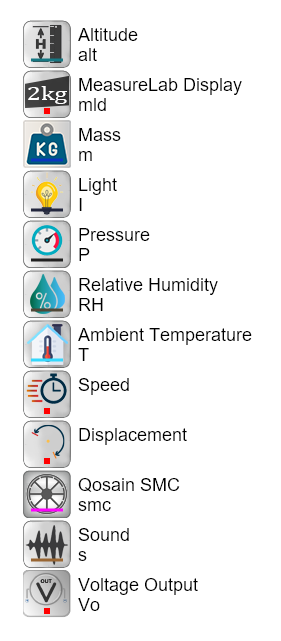
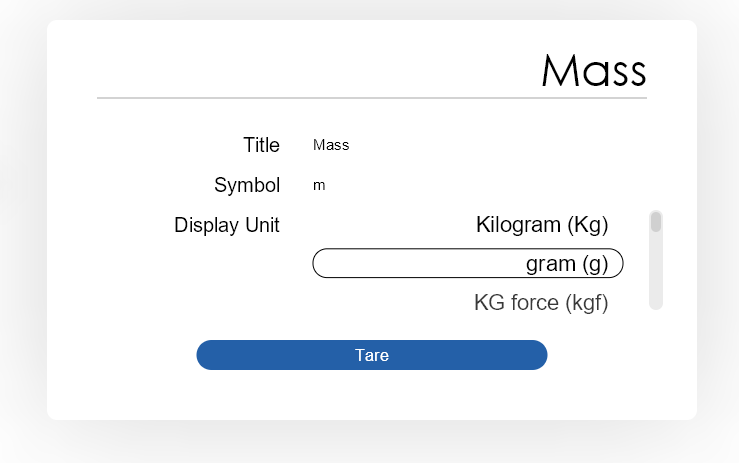
- Load cell needs to be calibrated at every start to remove any offset. For that, when you open the session file, use the tare button by clicking on mass in the list of quantities:
- Connect the Measurelab to your computer and open the provided session file.
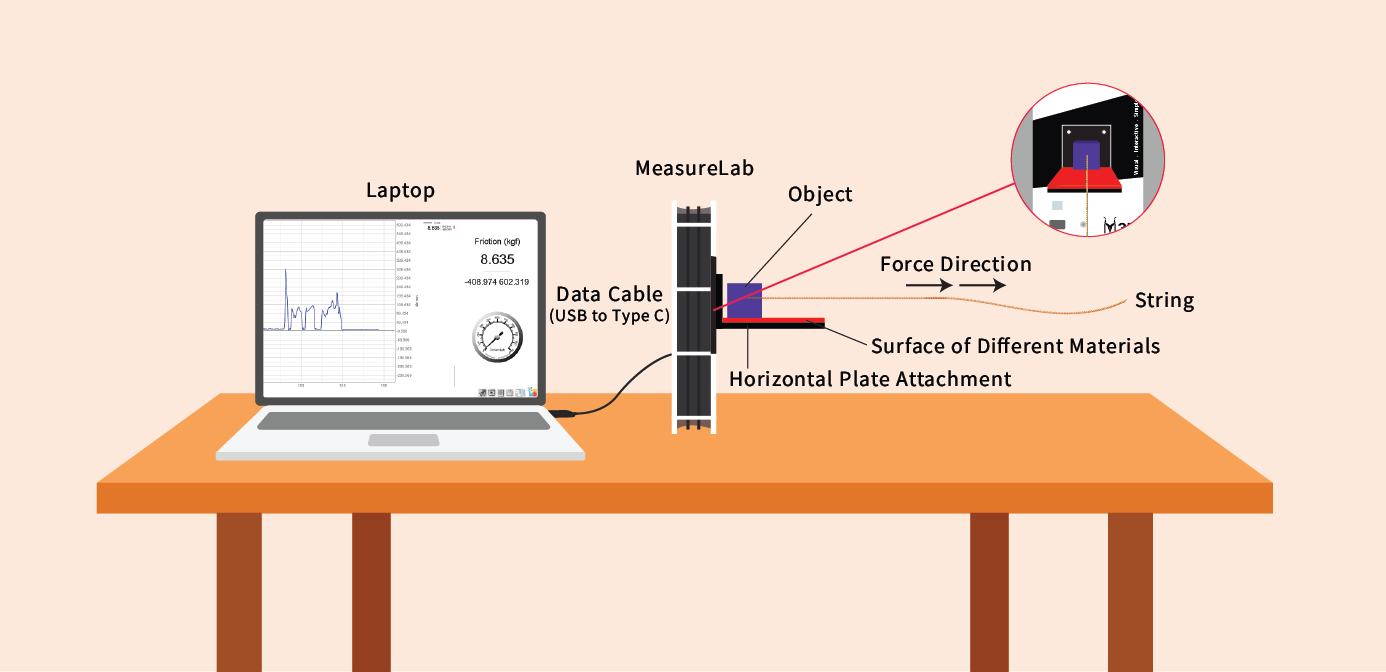
- Your setup will look like this:
Introduction and Hands-On Exploration: (35 minutes)
- You may start by asking:
“Who likes playing on slides? How do you feel when you go down a smooth slide?”- Wait for students to respond (they might say it’s fun, fast, or easy to slide down).
- You may follow up by asking:
“What do you think would happen if the slide was covered in glue or something sticky—would you go down fast or slow?”- Let students share their thoughts (they might say it would be hard to move, or that they’d get stuck).
- You may build on their responses by saying:
“Exactly! When a surface is sticky or rough, it’s harder to move on. That’s because something called friction is slowing you down.”
What is Friction?
-
You may ask:
“Now, let’s think about something else. Have you ever tried to push a heavy toy or box on a smooth floor? Was it easy? What if you had to push it on a rough carpet? Was it harder?”- Let students respond about their experiences of pushing toys or other objects.
-
You may build on their responses by saying:
“When we push something, there’s a force that tries to slow it down. That force is called friction. Smooth surfaces, like a smooth floor, have less friction, so things are easier to move. Rough or sticky surfaces have more friction, which makes it harder to move things.”
Introducing the Load Cell to Measure Friction:
-
You may explain:
"Today, we’re going to use a tool called a load cell to measure friction. -
You may add:
“We’ll try moving objects on three different surfaces: one that’s sticky, one that’s rough, and one that’s smooth. Let’s see which one is the hardest to move things on!”
Set up the MeasureLab with the load cell standing upright.
- Attach a flat plate to the load cell to hold the object being slid across the surface.
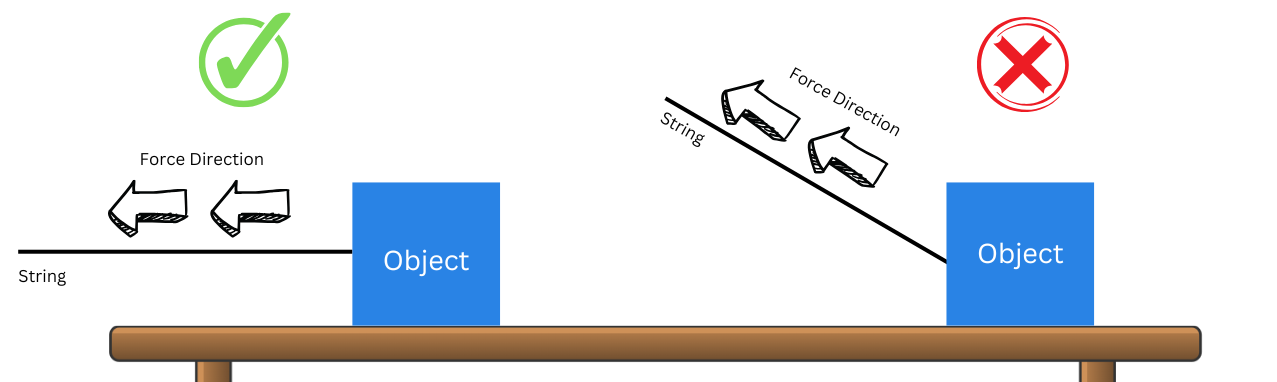
- You may remind students:
“Make sure you pull the object straight on the plate. If you pull at an angle, it might not measure correctly. Use the string attached to the object to pull for accurate measurement.”
Step 1: Running the Experiment
-
Measuring Friction on Different Surfaces:
-
You may ask:
“Which surface do you think will be the hardest to slide the object on? Which one will be the easiest?”- Let students make predictions about each surface and write or draw them on their worksheet.
-
-
Slide the Object:
-
You may guide them:
“Let’s pull the object across each surface and see how much force is needed to move it.”- Attach the object to the load cell and slide it straight across the different surfaces.
-
-
Recording Data:
-
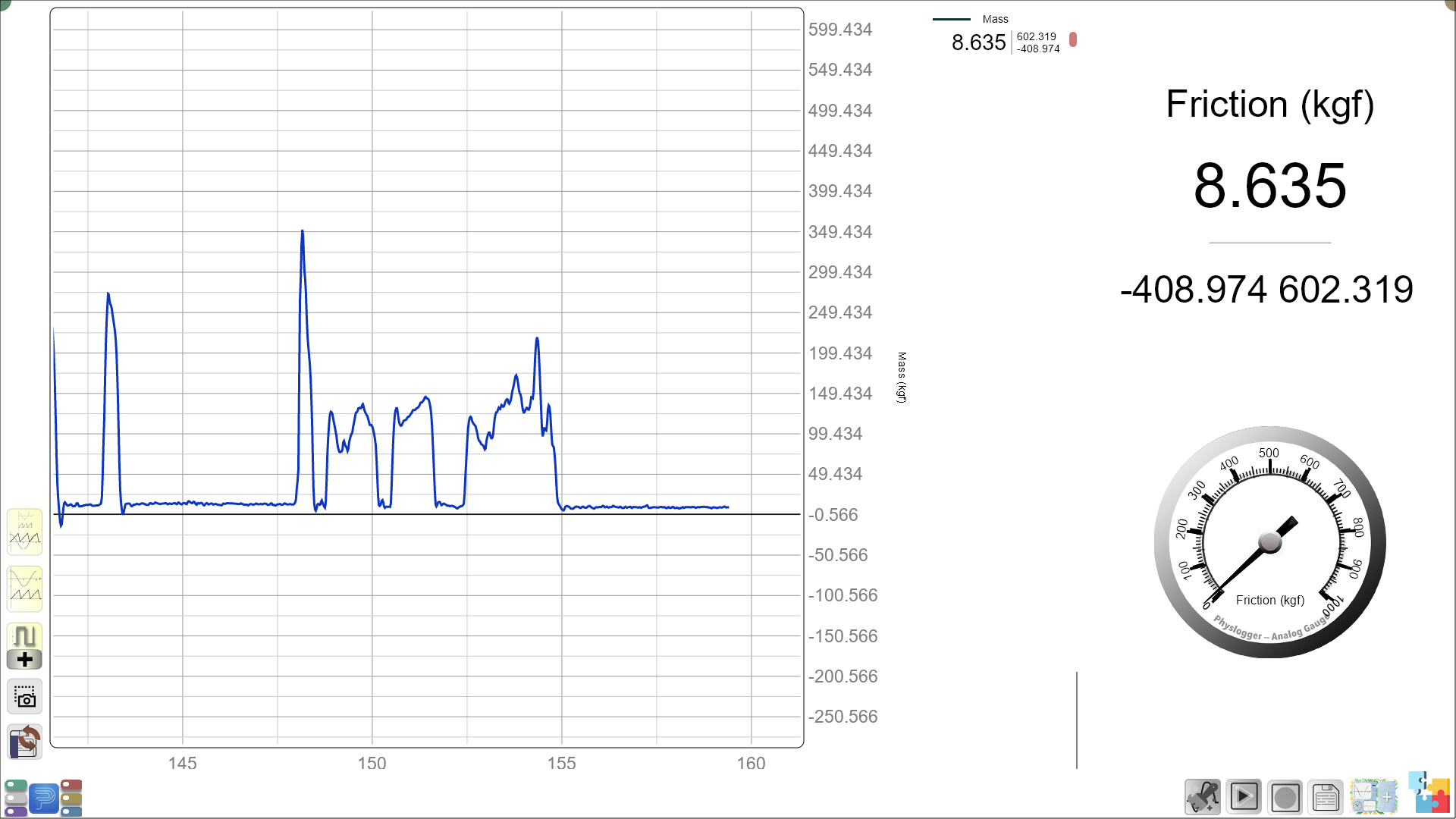
Measure the force needed to move the object across each surface.
-
Students will simply observe whether the number on the screen goes up or down as they test each surface.
-
You may ask:
“Look at the number on the screen—did it go up when we pulled the object on the sticky surface? What do you think that tells us?”
-
Guided Activity: (15-20 minutes)
After measuring, students will fill out a simple worksheet to show which surfaces had more or less friction. Each surface will have a picture, and students will circle or color-code to show their observations.
Worksheet Table:
| Surface | Circle More or Less Friction |
|---|---|
| Sticky Surface (e.g., rubber mat, double sided tape) | Circle: More or Less |
| Rough Surface (e.g., cardboard) | Circle: More or Less |
| Slippery Surface (e.g., boric acid) | Circle: More or Less |
Follow-Up Questions for the Worksheet:
-
You may ask:
“Which surface was the hardest to move the object on? Why do you think it was harder to slide on this surface?”- Guided answer:
Students can identify the sticky or rough surface as the one with more friction, and say that it was harder to move the object because the surface created more resistance.
- Guided answer:
-
You may ask:
“Which surface was the easiest to move the object on? Why do you think this surface had less friction?”- Guided answer:
Students can answer that the slippery surface was easiest, explaining that it had less friction, so the object could slide smoothly.
- Guided answer:
Summary and Reflection: (5-10 minutes)
-
You may summarize:
“Today, we learned how friction works by measuring the force needed to slide objects across different surfaces. We saw that sticky or rough surfaces create more friction, while smooth surfaces have less friction and are easier to move things across.” -
You may ask:
“Can you think of any times when you need more friction to stay safe, like when you’re riding a bike or walking on a wet floor?”- Guided response:
This question can guide students to think about safety in their everyday lives, like the need for friction when walking or riding a bike to avoid slipping.
- Guided response:
Glossary:
- Friction: The force that resists movement between two surfaces.
- Load Cell: A sensor that measures force.
- Force: The push or pull that moves or stops an object.
- Parallel: Moving in the same direction without tilting or changing angles.