Grade 4 - Session 2: “Building Circuits—Bright Sparks”
Session Architect: Aleeza Ayaz - Markhor3D
Session Length: 50-60 minutes
Session Overview:
In this session, students will gain hands-on experience by building a simple electrical circuit. They’ll learn how current flows through a circuit and how voltage pushes that current, making a bulb light up. By creating and testing their circuits, students will observe what happens when components like the battery or wire are removed and will use MeasureLab’s live plots to visualize these changes. This interactive session encourages students to think critically about electrical flow and gives them a practical introduction to basic circuit-building skills.
Learning Objectives:
In this session, students will:
- Build a simple electrical circuit using MeasureLab.
- Understand the concept of current as the flow of electricity.
- Understand voltage is what pushes electricity through the circuit.
- Recognize how opening and closing a circuit by removing a battery affects voltage.
- Practice using live plots to visualize electrical values like voltage.
Teacher Resource:
Session File: ML42.plf (55.8 KB)
Equipment Required:
- MeasureLab connected to a power source.
- Simple circuit components: wires, a bulb, a battery.
- A laptop or PC to display live plots.
- Worksheet for recording predictions and observations.
Teaching Aids:
- Projector for displaying live plots, images of cars on a road (optional).
Structure and Lesson Plan:
Preparation:
This step has to be done before the session on each workstation/apparatus by the teacher/session instructor:
-
Make sure that each computer has Physlogger installed and can detect the Measurelab when connected to it using the provided cable.
-
Each Measurelab should have access to a power outlet for sensors that require external power.
-
Connect the Crocodile-to-Crocodile Plug Cables in the following ports:
-
Launch the Physlogger application and load the session file provided in the resources section.

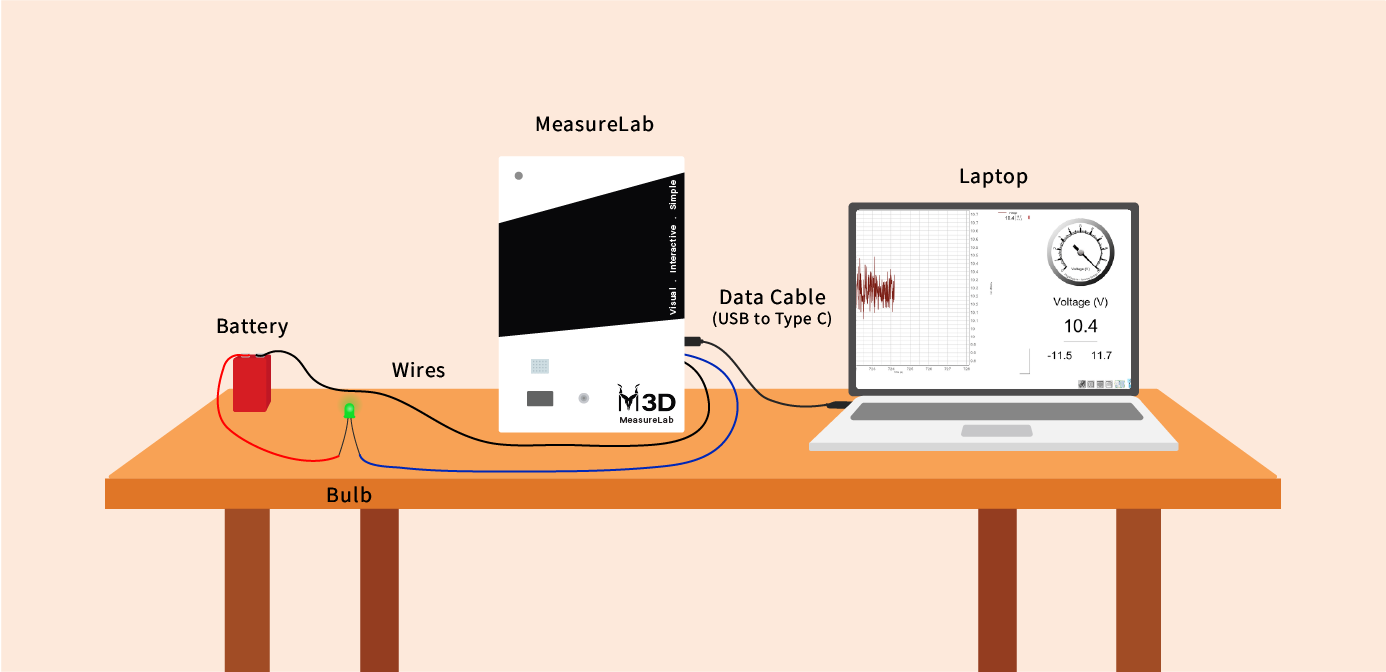
Your setup will look something like this:
Introduction (15 minutes):
You may begin by asking:
“What makes a phone, toy, or bulb work?”
Let the students respond, they may say electricity or batteries. Build on this:
“Yes, but what is electricity? Can anyone tell me?”
Guide students to understand electricity as current:
“Electricity is actually current. Have you heard people say not to touch a socket because you might get an electric shock? That’s because of current—it’s the flow of electricity.”
Use a relatable analogy:
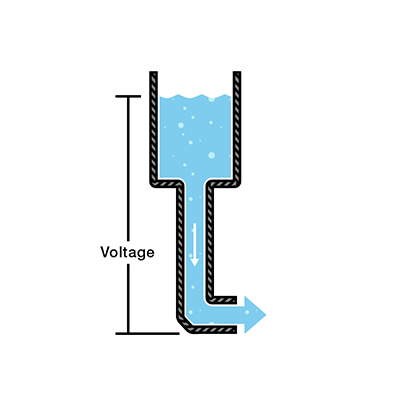
“Imagine you’re on a road, and that road takes you from one city to another. The cars on that road are like the electric current. But what do cars need to move?”
Let the students answer, then explain:
“Yes! Cars need fuel. For electricity, the fuel is voltage. Voltage pushes electricity to move, just like fuel makes cars move.”
Hands-On Exploration:(30-35 minutes)
Step 1: Build a Simple Circuit
- Guide students to build a basic circuit with a battery, wires, and a bulb and assist them in connecting the wires.
You may say:
“The wires are the road for our electricity, and inside the wires are tiny particles, like invisible cars. The battery gives the voltage, the ‘push,’ for these particles to move. Let’s see what happens when we connect everything.”
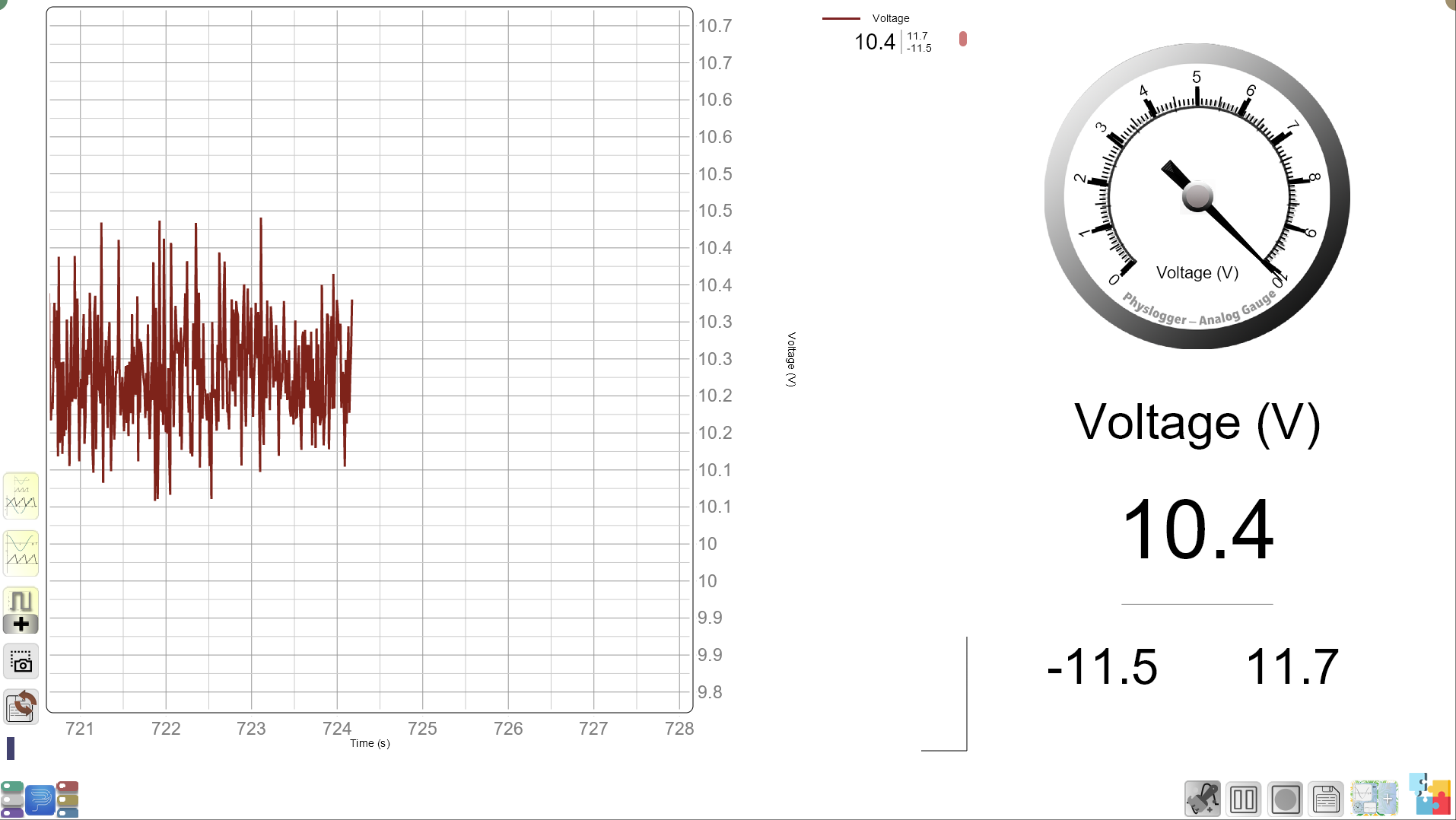
- Observe the live plot: Once the circuit is complete, the bulb will turn on. Guide the students to use he Banana-to-Crocodile wires which were connected to the Measreulab during preparation. Once connected, the students will see the voltage on MeasureLab’s screen as well as on the display.
Step 2: Remove the Battery
- Ask students to predict what will happen if the battery is removed.
You may ask:
“If the battery is the fuel, what do you think will happen to the bulb if we take it away? Let’s make a prediction.”
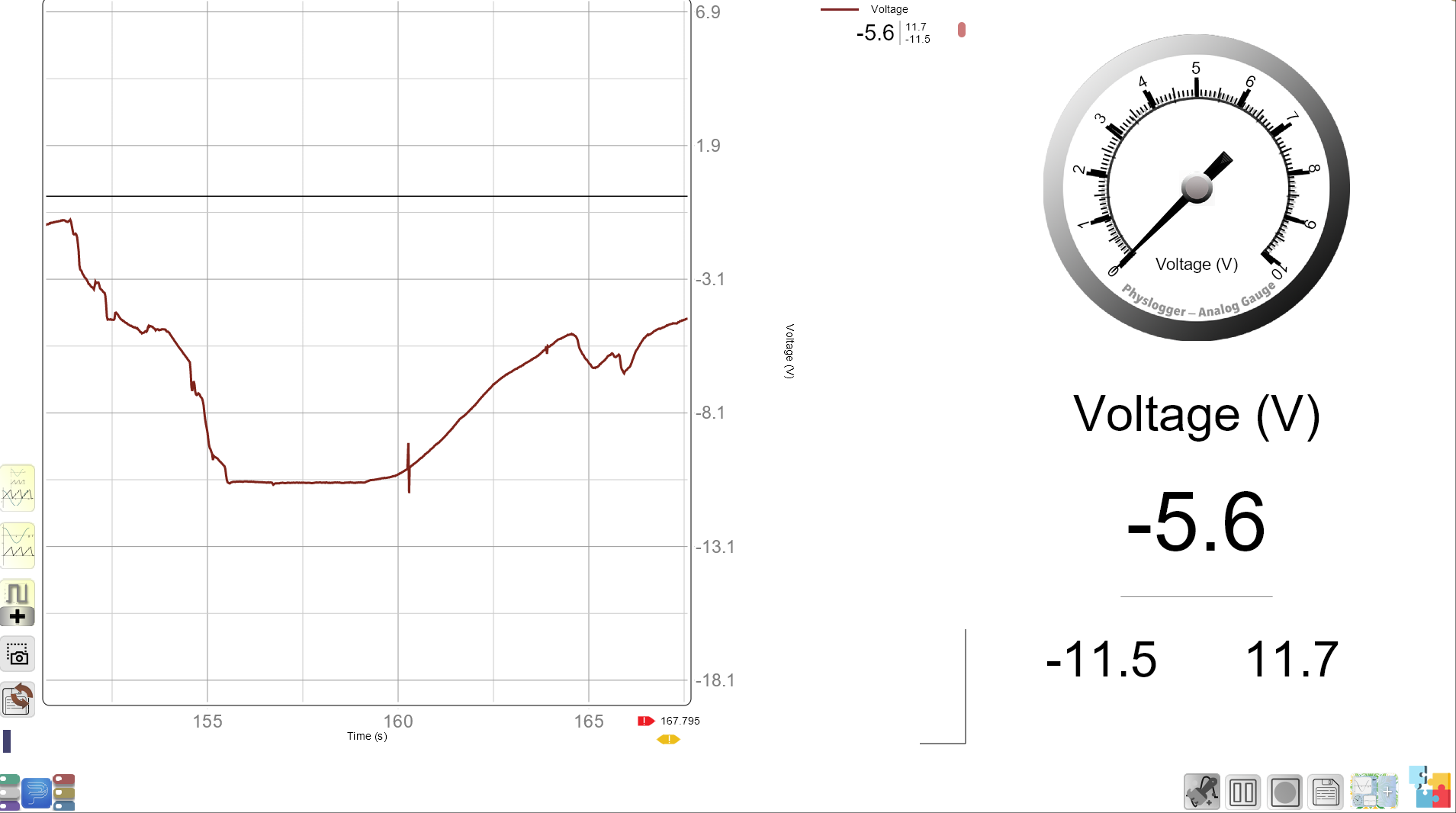
Guide them through the observation: Remove the battery, show the students that the live plot now reads zero for voltage.
- Ask students: “Why did this happen?”
Step 3: Open the Circuit
- Introduce the concept of an open circuit:
You may ask:
“Now, what happens if we leave the battery but open the circuit by disconnecting a wire, breaking the road for electricity?”
- Ask students to predict:
“Will the current stop? What will happen to the bulb?”
Let them observe the live plot: Open the circuit, and show how the voltage go to zero again. The circuit is incomplete.
You may explain:
- “The current needs a complete path, just like cars need a complete road to keep moving.”
Guided Questions:
- “What happens to the voltage when we remove the battery? Why?”
- “What happens when we open the circuit? Can the current still flow?”
- “Why does the bulb stop lighting when we break the circuit?”
Worksheet Layout:
-
Predictions:
- What will happen when we remove the battery?
- What will happen when we open the circuit?
-
Observations:
- Voltage with the battery: _______
- Voltage without the battery: _______
-
Questions:
- What happens when there’s no battery?
- Why did the current stop flowing when we opened the circuit?
Summary and Reflection: (5-10 minutes)
You may summarize:
- “Today, we learned how electricity flows like cars on a road. The voltage is the push that keeps the current moving, but we need a complete road—or a complete circuit—for electricity to keep flowing.”
You may ask:
- “Can you think of where we see open circuits in real life? Why are they useful?”
Glossary:
- Current: The flow of electricity through a circuit.
- Voltage: The push or force that makes electricity move.
- Circuit: A complete path that electricity travels through.
- Open Circuit: An incomplete path that electricity travels through.